• Skip to primary navigation
  • Skip to main content
  • Skip to primary sidebar

John August

  • Arlo Finch
  • Scriptnotes
  • Library
  • Store
  • About

Formatting

Met the guy who runs Final Draft

April 18, 2004 Formatting, Geek Alert

Last night, I co-hosted a benefit for [The Story Project](http://www.storyproject.com/), a very worthwhile organization that promotes teen literary in Los Angeles. One of the guests was introduced to me as, “This is the guy who runs [Final Draft](http://www.finaldraft.com/).”

I resisted the urge to tell him how crappy his latest release was. I’m too polite sometimes.
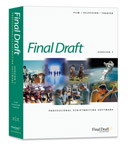
New Final Draft version 7.0 is…marginally better

April 8, 2004 Formatting, Geek Alert

finaldraftjpg
My screenwriting software of choice has long been [Final Draft](http://www.finaldraft.com), which is 90% great, 10% maddening and significantly better than any of the other programs I’ve tried — and believe me, I’ve tried a bunch. This past month, Final Draft came out with version 7.0, which was the first major update in a while.

On the plus side, the new version is stable. It hasn’t quit on me, and it hasn’t had the same [refusing-to-launch problem](http://johnaugust.com/2004/when-final-draft-wont-open-under-os-x) the last version had. It doesn’t choke on the previous version’s files, which is a problem I’ve encountered every previous integer-level upgrade.

One nice new feature is the ability to split a document window, so you can see two parts of the script at the same time. You can show one of the panels in scene-navigator view, or as index cards — which can now have two sides. On a big screen, keeping the left panel open to the scene navigator lets me click through to specific sections quickly.

Splitting the screen is helpful, but hardly revolutionary. Many Mac programs — including Microsoft Word — have had split windows for over a decade. Final Draft runs into familiar problems with this setup. If you make a selection in one panel that extends into the region shown in the other panel, the program freaks out. Caveat selector.

I never use Final Draft’s index cards. While in theory it would be great to reorganize your script just by moving some cards around, real life screenplays never work that way. Scenes aren’t Legos, and they can’t be flopped around willy-nilly. In my opinion, better choices for outlining are [Omni Outliner](http://www.omnigroup.com/applications/omnioutliner/) and [Pyramid](http://www.mindcad.com/). Each of these has free demo versions.

Final Draft 7 is apparently better at exporting .pdf files. That may be new for Windows, but if you’re using Mac OS X, I’d highly recommend using “Print…” and “Save to .pdf” instead. That way, you have all the options of the print dialog box, and you’re guaranteed to get just what the printer would.

There are other features I wish Final Draft had, such as XML export for the web, a clipping bin, and less-aggressive Smart Lists. But on the whole, the program works well for what I make my living doing. And for screenwriters lucky enough to have an honest-to-goodness movie on their hands, the production features alone are worth the price. Final Draft does a very solid job locking pages and tracking revisions, which makes sending out colored pages considerably easier than it has any right to be.

Should you buy Final Draft? Probably. Should you upgrade? That depends. If you’re happy with version 6, there’s really no pressing need. Version 7 isn’t bad, but it isn’t a huge improvement.

Formatting a montage sequence

March 31, 2004 Formatting, QandA

I was just wondering what is the actual format to cite a montage? Is it similar to:

EXT. MONTAGE – DAY

There are so many images coming from so many different places, how does one cite such a thing as a montage? Thanks for your time and help.

–Mike
North Carolina, USA

A montage is a collection of very short scenes, sometimes only a single shot each, designed to show a series of actions over time. Depending on the needs of the sequence, there are a few different options for how to write a montage in screenplay form.

The easiest example is when all the action is taking place in one location. For instance, say you have a character trying on clothes — the infamous Changing Room Montage. It might read something like this:

INT. CHANGING ROOM – DAY

Holly enters with a massive armload of clothes. Kyle’s eyes bulge. Holly pulls the curtain shut.

MONTAGE

Holly emerges, dressed in different outfits, each more elaborate than the last. Kyle watches in horror and dismay, checking his watch as the madness continues.

And when it’s time to finish, a single line of “END MONTAGE” lets the reader know you’re going back to normal time.

When a montage moves between multiple locations, the situation gets a little more difficult. Often the best choice is to not even say “MONTAGE” and just let it be a series of short scenes — just a slugline and a sentence or two of description. The reader will correctly intuit that there’s a montage occurring.

If all the locations in the sequence fall within one larger location, the most economical choice may be to just change the slugline:

INT. MARY’S HOUSE – VARIOUS ROOMS

MONTAGE as Mary chases after the dog, trying to put in the eyedrops. Every time she has him cornered, he manages to escape, ducking under the coffee table or vaulting over the bed.

My advice is to pick the simplest version that gets the point across. You may find that you’re using two or three different formats in a single script, depending on the needs of each sequence.

Learn more about formatting montages here!

Incorporating titles into a screenplay

March 11, 2004 Formatting, QandA

How should I incorporate titles regarding date, time, location, etc. into a script for the viewer to read on the screen when the movie is complete?

–DJ

Anything that needs to be printed on screen (that is, it’s not part of the set or other design) is preceded by two magic words —

TITLE OVER:

You then center whatever information you want to appear on screen, be it the location, the time, whatever. Unless you’re doing a long, Star Wars-style crawl, this should be all you need.

For GO, there was a “RONNA” at the head of her section. In the second CHARLIE’S ANGELS, one title read:

NORTHERN MONGOLIA, NEAR THE SIBERIAN BORDER.

As opposed to Southern Mongolia, which is totally different.

That said, you probably don’t need to label every new location you visit, a la “The X-Files”. Always ask yourself whether the moment would be just as clear without printing anything on the screen. And you certainly shouldn’t include any titles that are really just credits, such as “A FILM BY DJ SMITH.” (And frankly, I believe no one should ever use that credit, because it cheapens the contribution of everyone else who worked on the film.)

Some writers really frown on using titles, because they feel that it’s the director’s prerogative whether or not they’re needed. I disagree. If it helps the reader understand the flow of the story, and makes the script read more like the final movie you want to make, by all means use them.

« Previous Page
Next Page »

Primary Sidebar

Newsletter

Inneresting Logo A Quote-Unquote Newsletter about Writing
Read Now

Explore

Projects

  • Aladdin (1)
  • Arlo Finch (27)
  • Big Fish (88)
  • Birdigo (2)
  • Charlie (39)
  • Charlie's Angels (16)
  • Chosen (2)
  • Corpse Bride (9)
  • Dead Projects (18)
  • Frankenweenie (10)
  • Go (29)
  • Karateka (4)
  • Monsterpocalypse (3)
  • One Hit Kill (6)
  • Ops (6)
  • Preacher (2)
  • Prince of Persia (13)
  • Shazam (6)
  • Snake People (6)
  • Tarzan (5)
  • The Nines (118)
  • The Remnants (12)
  • The Variant (22)

Apps

  • Bronson (14)
  • FDX Reader (11)
  • Fountain (32)
  • Highland (73)
  • Less IMDb (4)
  • Weekend Read (64)

Recommended Reading

  • First Person (87)
  • Geek Alert (151)
  • WGA (162)
  • Workspace (19)

Screenwriting Q&A

  • Adaptation (65)
  • Directors (90)
  • Education (49)
  • Film Industry (490)
  • Formatting (128)
  • Genres (89)
  • Glossary (6)
  • Pitches (29)
  • Producers (59)
  • Psych 101 (118)
  • Rights and Copyright (96)
  • So-Called Experts (47)
  • Story and Plot (170)
  • Television (165)
  • Treatments (21)
  • Words on the page (237)
  • Writing Process (177)

More screenwriting Q&A at screenwriting.io

© 2026 John August — All Rights Reserved.