• Skip to primary navigation
  • Skip to main content
  • Skip to primary sidebar

John August

  • Arlo Finch
  • Scriptnotes
  • Library
  • Store
  • About

Apps

Is automatic (cont’d) a bug or a feature?

February 23, 2015 Apps, Formatting, Highland

We got a question in the Highland support queue this morning that is less technical than philosophical:

> I started using Highland to finish a script I started in Final Draft.

> In Final Draft when a character speaks, then stops to do something physical, spots something, etc, then speaks again, a (CONT’D) is automatically added.

> When I finished writing the script in Highland I noticed that Highland does not add the (CONT’D) so I had half a script with (CONT’D) and half without it.

> In short I am curious is the (CONT’D) needed? Should I add it to what I wrote in Highland, or do I go back and remove it?

> I am going to submit this script to the Black List website, and am still an aspiring screenwriter. I personally think the (CONT’D) just takes up space, and understand why Highland doesn’t automatically add it, but wanted to get your opinion first.

> Many thanks. I love using Highland, and won’t be going back to Final Draft ever.

What he’s describing is automatic dialogue continuity, ((“Continued” can be noted as (CONT’D) or (cont’d). Both are fine. Pick one and stick with it.)) which is a source of no small amount of consternation to screenwriters. I wrote about it [back in 2010](http://johnaugust.com/2010/contd-vs-continuous), and that advice still holds true.

But my opinions have clearly influenced the direction of Highland, so it’s worth revisiting.

In some cases, you’ll absolutely want to use (cont’d) to indicate a character is still speaking. It’s a signal to the reader (and the actor) that the character is continuing the same thought, regardless of the intervening action.

An example:

TOM

(looking at his phone)

According to Dark Sky, a storm is coming in four minutes.

A tornado suddenly touches down, flipping over cars. Tom is oblivious.

TOM (CONT’D)

We should probably go inside.

In other cases, it’s much less clear whether dialogue continuity makes sense. If a bunch of action has occurred between the last time the character spoke, is it really correct or helpful to have that (cont’d)?

Consider Sandra Bullock’s character in Gravity. Minutes may elapse between her spoken dialogue, but Final Draft will default to adding the (cont’d) since no other character has spoken in the interim. You can delete the (cont’d), but it’s a hassle, and it will come right back if you reformat text around it.

With Highland, we made the decision not to do add the (cont’d) automatically. The screenwriter is always the best judge of whether the dialogue is continuous, so you can just type it yourself.

That’s sort of the philosophy of Highland and Fountain: your script is exactly what you type, nothing more, nothing less. If you want a (cont’d) there, it’s deliberate.

In recent editions of Highland, we’ve given users the option to have Highland automatically add (more) and (cont’d) at page breaks.

Again, I think that’s consistent with the Highland philosophy. The app is doing behind-the-scenes work to make the page look great, with algorithms to break dialogue at the period where possible, and squeeze in an extra line if necessary. This kind of (cont’d) only shows up if you really need it, so there’s no reason to bake it into the text itself.

On the subject of Highland, we have a [new release](https://itunes.apple.com/us/app/highland/id499329572?mt=12) in the Mac App Store today. It fixes a bug that was preventing .fdx export.

Weekend Read 1.5 now in beta, adds iPad and iCloud support

January 22, 2015 Apps, Weekend Read

weekend read iconWeekend Read, our app for reading screenplays on the iPhone, will be adding two much-requested features in the next major update:

– iPad support, including the iPad mini
– iCloud syncing between your devices

The new features in Weekend Read require iOS 8.

If you’d like to join the beta, you can sign up here:

* indicates required


This truly is a beta; things will break. The good news is that the stable version of Weekend Read is always [on the App Store](https://itunes.apple.com/us/app/weekend-read/id502725173?mt=8), so it’s simple to delete the beta and reinstall something solid.

We’ll be adding a few new testers each week, so we likely won’t get to everyone. But we definitely need a variety of users who can test the new version out in the wild, because a lot has changed under the hood.

## What’s new

Weekend Read 1.5 adds support for the iPad, both in portrait and landscape orientations. iPad support has been a long time coming, but was never urgent. Reading screenplay PDFs on the iPad isn’t bad even with current apps like GoodReader and PDFPro.

Weekend Read’s big advantage is that the app actually understands how screenplays work, so we can resize text, highlight characters, and offer Dark Mode. Even on the iPad, moving to a larger font size really helps reduce eye strain.

WR-ipad

Weekend Read 1.5 is also much faster rendering screenplays, particularly on newer iPhones and iPads. You’ll rarely see the progress bar.

The bigger change — the one that’s been by far the most work for Nima Yousefi — is the addition of iCloud features.

Here’s what’s now possible:

– If you add a screenplay on your iPhone, it automatically shows up on your iPad. (And vice-versa.)
– You can organize scripts into folders.
– You can import entire folders at once from the For Your Consideration lists. So it’s now one tap to install all of the 2014 Awards scripts, for example.
– If you’re on a Mac with OS 10.10 Yosemite, you can drag screenplays into the iCloud Drive > Weekend Read folder. Super handy.

I should stress that all of the above bullet points are goals, not guarantees. Part of the reason we’re extending this beta beyond our friends and family is that there are a lot of edge cases in which things get wonky. If we can’t make a given feature work reliably, we’ll ship without it.

## The work ahead

Weekend Read, and the beta, are free.

When we release the new version, we plan to have all the new features available for folks who’ve unlocked the app via in-app purchase. So to get more users ready, we’ve dropped the upgrade price for the next two weeks from $10 to $5. If you’ve been waiting for a sale, this is it.

If you haven’t tried Weekend Read, you can find it [on the App Store](https://itunes.apple.com/us/app/weekend-read/id502725173?mt=8). We have 27 of the 2014 award contender scripts available to read, including nine of the Academy Award-nominated screenplays. We also have Scriptnotes transcripts going all the way back to first episode.

Screenplays on the Kindle, 2015 edition

January 16, 2015 Follow Up, Formatting, Fountain, Geek Alert, Highland, How-To, Weekend Read

A screenwriter friend just emailed me to ask how she could get one of her scripts to look good on the Kindle. She had Googled and discovered I’d written about reading screenplays [on the Kindle](http://johnaugust.com/2009/the-kindle-is-not-good-for-screenplays) [twice](http://johnaugust.com/2009/reading-scripts-on-the-kindle) back in 2009. (I was an early Kindle adopter.)

Back in 2009, I found there to be a lot of potential for reading screenplays on the Kindle, but a lot of frustration.

Six years later, what’s changed?

Nothing. Kindles and screenplays are still a bad fit.

Attempting to get screenplays to look screenplay-like on Kindle is a fool’s errand, so let me actively dissuade you from trying. Down this path lies futility and despair.

## It’s not the Kindle’s fault.

Kindles are designed for free-flowing text like books. They don’t know anything about how screenplays work, and they will fight you at every step. We know. We tried. That’s a large part of why we made [Weekend Read](https://itunes.apple.com/us/app/weekend-read/id502725173?mt=8).

If you’re starting with a PDF, the closest you can probably come on the Kindle is to run the script through [Highland](https://itunes.apple.com/us/app/highland/id499329572?mt=12) and save it as a Fountain file. That’s just plain text, so if you then import it into Kindle’s parser, you’ll get a rough approximation, with everything set on the left margin:

INT. HOUSE – DAY

Mary and Tom carry in groceries.

TOM
They oughta call it, “Whole Paychec—

— THWACK! Tom is impaled by a spear.

CUT TO:

I write in [Fountain](http://fountain.io), so this looks fine to me. But that’s not what my friend was looking for. She wanted something like a printed screenplay, and you’re just not going to get that on the Kindle.

But you can get closer. If you dig into the text file and carefully set tags for character names and transitions, you can have them centered or moved to the right margin. Or you can bail on the screenplay formatting. Dave Trottier has [instructions](http://blog.liberwriter.com/2011/08/18/formatting-a-screenplay-for-kindle/) you can follow to make something that looks more like a published stage play. It’s incredibly tedious, but it’s possible.

With a lot of work, you can make something that looks okay — but only okay. That’s the best you’re going to get, and it’s not worth the effort. So in 2015, I use my Kindle for books and my iOS devices for screenplays. Each is the right tool for the job.

Weekend Read, for your consideration

January 11, 2015 Awards, Weekend Read

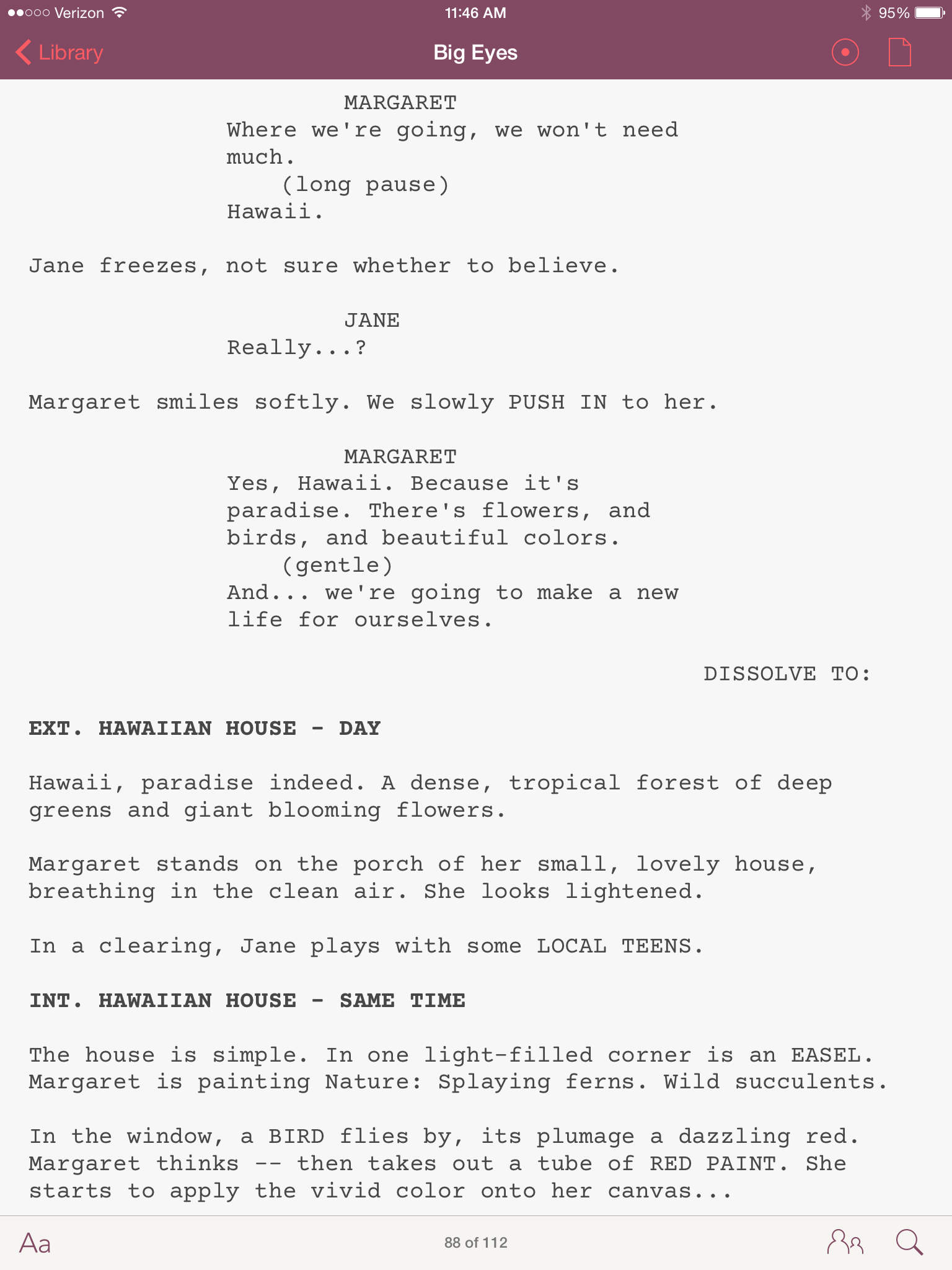
weekend read icon[Weekend Read](https://itunes.apple.com/us/app/weekend-read/id502725173?mt=8), our app for reading screenplays on the iPhone, now features scripts from 21 of this year’s award contenders.

* A Most Violent Year
* Belle
* Big Eyes
* Birdman
* Boxtrolls
* Boyhood
* Calvary
* Dear White People
* The Fault in Our Stars
* Foxcatcher
* The Gambler
* Get On Up
* The Grand Budapest Hotel
* Into the Woods
* Kill the Messenger
* Locke
* Love Is Strange
* St. Vincent (de Van Nuys)
* Still Alice
* Unbroken
* Whiplash

Weekend Read doesn’t host any of these files; we’re always linking to the official PDFs hosted on studio websites. In most cases, those scripts work great, but there are exceptions.

This year, the troublesome scripts are Gone Girl, The Imitation Game and Theory of Everything. Weekend Read 1.0.8 — in review now at Apple — handles these screenplays fine. It should be out later this week.

[Weekend Read is free](https://itunes.apple.com/us/app/weekend-read/id502725173?mt=8), with a paid upgrade option to increase your library storage.

« Previous Page
Next Page »

Primary Sidebar

Newsletter

Inneresting Logo A Quote-Unquote Newsletter about Writing
Read Now

Explore

Projects

  • Aladdin (1)
  • Arlo Finch (27)
  • Big Fish (88)
  • Birdigo (2)
  • Charlie (39)
  • Charlie's Angels (16)
  • Chosen (2)
  • Corpse Bride (9)
  • Dead Projects (18)
  • Frankenweenie (10)
  • Go (29)
  • Karateka (4)
  • Monsterpocalypse (3)
  • One Hit Kill (6)
  • Ops (6)
  • Preacher (2)
  • Prince of Persia (13)
  • Shazam (6)
  • Snake People (6)
  • Tarzan (5)
  • The Nines (118)
  • The Remnants (12)
  • The Variant (22)

Apps

  • Bronson (14)
  • FDX Reader (11)
  • Fountain (32)
  • Highland (74)
  • Less IMDb (4)
  • Weekend Read (64)

Recommended Reading

  • First Person (87)
  • Geek Alert (151)
  • WGA (162)
  • Workspace (19)

Screenwriting Q&A

  • Adaptation (65)
  • Directors (90)
  • Education (49)
  • Film Industry (489)
  • Formatting (128)
  • Genres (89)
  • Glossary (6)
  • Pitches (29)
  • Producers (59)
  • Psych 101 (118)
  • Rights and Copyright (96)
  • So-Called Experts (47)
  • Story and Plot (170)
  • Television (165)
  • Treatments (21)
  • Words on the page (237)
  • Writing Process (177)

More screenwriting Q&A at screenwriting.io

© 2026 John August — All Rights Reserved.