• Skip to primary navigation
  • Skip to main content
  • Skip to primary sidebar

John August

  • Arlo Finch
  • Scriptnotes
  • Library
  • Store
  • About

Highland

Dressing like a screenwriter

September 16, 2014 Highland, Los Angeles, News

Scriptnotes is a proudly money-losing podcast, with no ads or sponsors to defray the cost of editing, hosting and transcripts. So once a year we offer t-shirts to help fill both our coffers and your closets.

In past years, we’ve sold the Scriptnotes t-shirts in various colors. They’re lovely shirts, but three colors is plenty. This year we wanted to do something different.

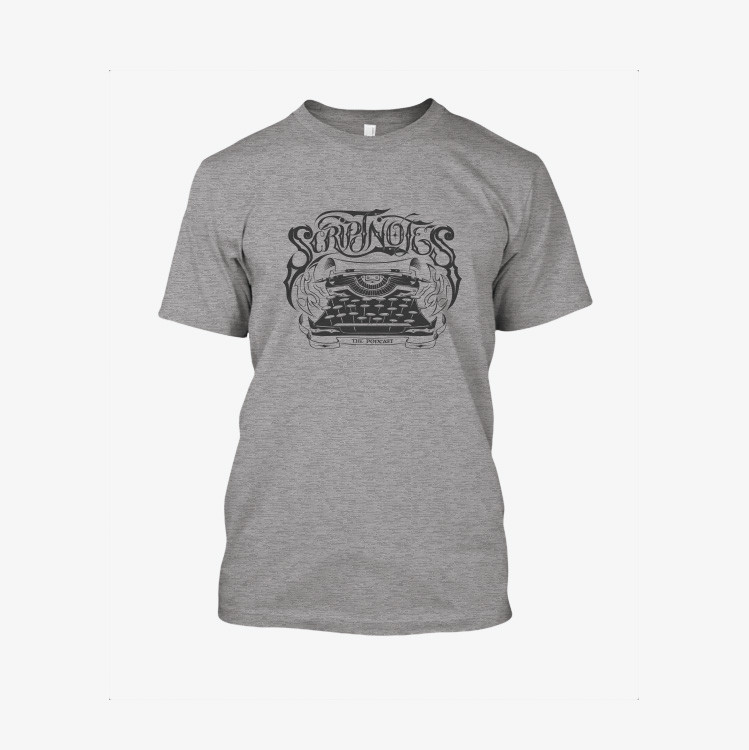
So we made the [Scriptnotes Tour shirt](http://store.johnaugust.com/products/scriptnotes-tour-shirt).

scriptnotes tour shirt

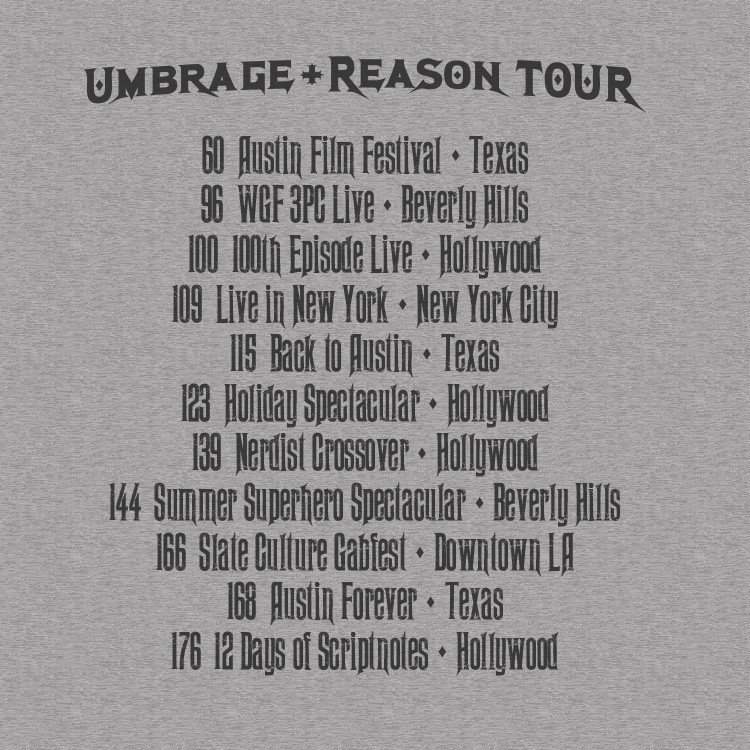
Illustrated by Simon Estrada, it’s the stadium rock band shirt made for people who listen to weekly podcasts about screenwriting. ((…And things that are interesting to screenwriters.)) For the first time ever, there’s printing on the back: a list of all the live shows, past and near-future.

scriptnotes-tour-back-detail_1024x1024

Although the artwork is hard rock, it’s actually the softest shirt we’ve ever made. Stuart Friedel, our resident t-shirt expert, describes it thusly:

> The softest shirt I ever touched was the American Apparel gray-tag tri-blend from 2007. Nothing has come close until this. It’s like wearing a daydream.

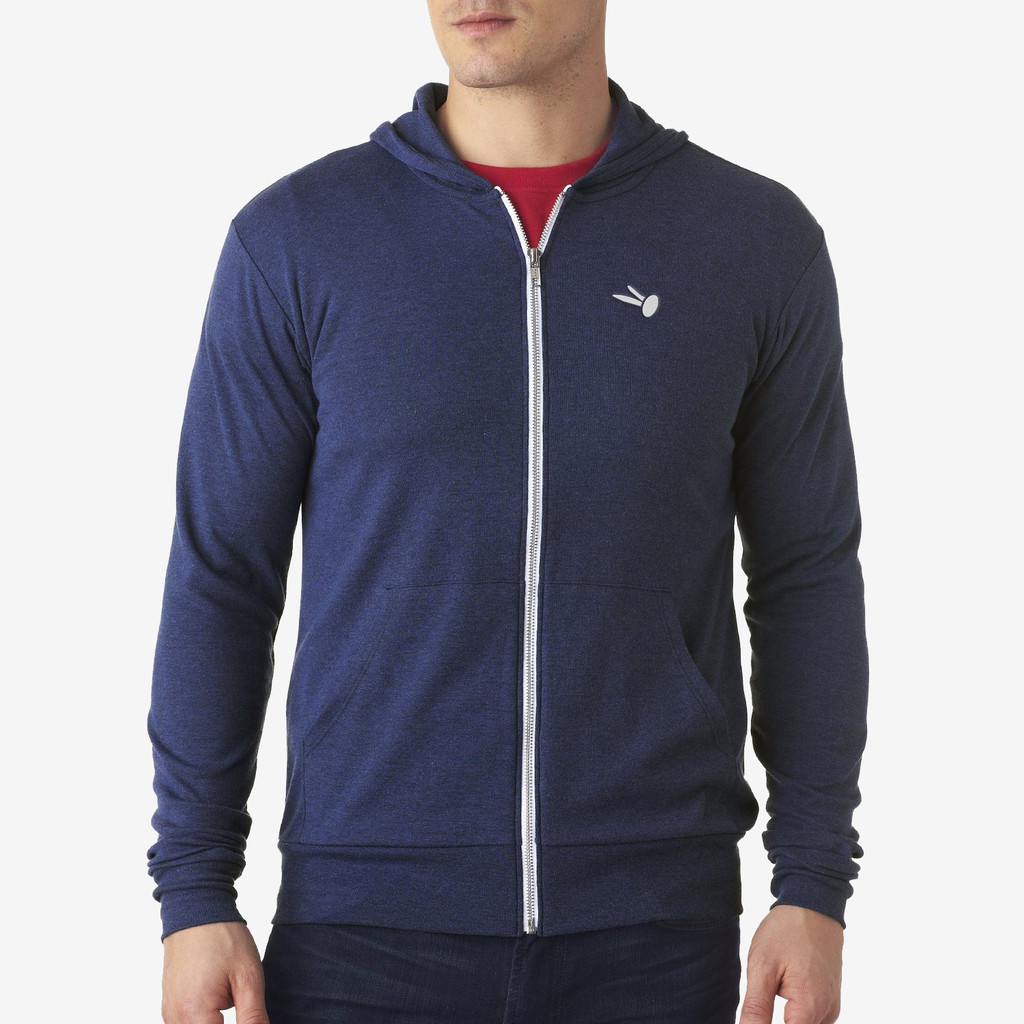
Stuart’s sense of softness led us to an entirely new garment: our [first-ever hoodie](http://store.johnaugust.com/collections/frontpage/products/brad-hoodie). It’s spun from the downy tri-blend threads.

brad hoodie

We were originally going to make it a Scriptnotes hoodie, but the complicated typewriter logo translated poorly to embroidery. A much better choice was this blog’s brad icon: simple, iconic, and specific.

Hoodies are the fundamental outerwear of the modern screenwriter: dressy enough to wear to a water-bottle general meeting, casual enough to wear while walking your dog at Runyon Canyon.

We deliberately picked a lightweight fabric, perfect for an over-air-conditioned coffeeshop when it’s 100 degrees outside.

Our final bit of new schwag came to us from an email by George Gier:

> You may never know how much I appreciate Highland, but it turned reformatting hundreds of pages of garbage into two clicks of perfection. It rules. If you make a Highland T-shirt, I will be the first to buy one and wear it proudly.

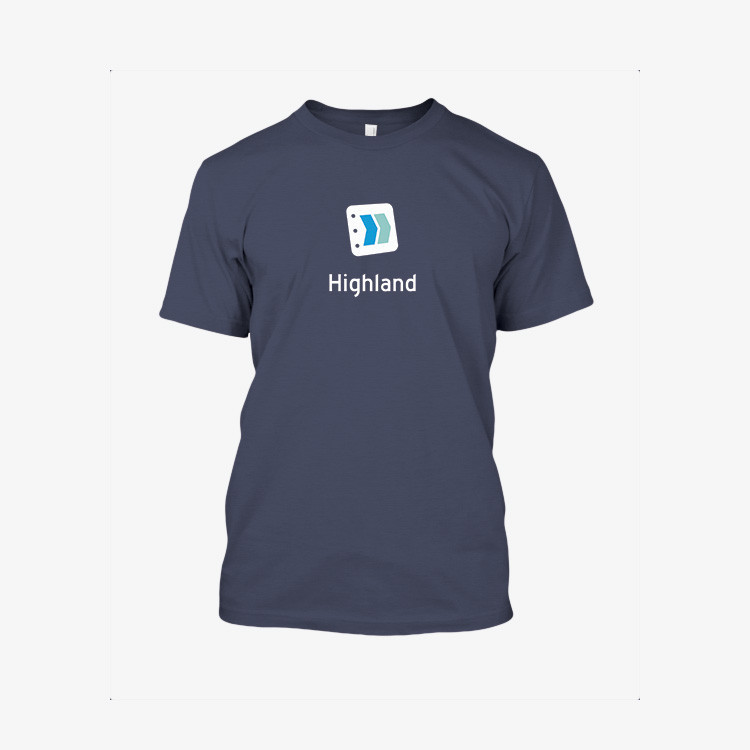
George Gier, [this is your shirt](http://store.johnaugust.com/collections/frontpage/products/highland-t-shirt) (but everyone else can get them too):

highland shirt

For the Highland shirt, we went back the same tee we used for the Karateka shirts: strong and simple, 100% cotton. It’s a deep indigo, reminiscent of [Dark Mode](http://johnaugust.com/2014/secrets-of-highlands-dark-mode).

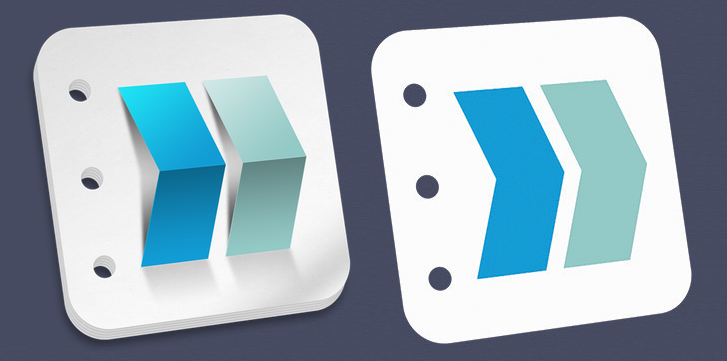
Making the Highland icon work on a t-shirt was an interesting challenge. The “real” icon uses gradients and shadows that wouldn’t translate to screen printing, so Ryan Nelson flattened everything down.

Highland icons

I kind of love it. Mac icons are still supposed to have [depth and shadow](http://martiancraft.com/blog/2014/07/inspecting-yosemite-icons/), but don’t be surprised if future versions of Highland move a bit in this flatter direction.

If you’re wearing the Highland t-shirt, you’re not only promoting a great screenwriting app. You’re literally wearing the future.

### Getting the gear

Both the t-shirts and the hoodie are available for pre-order starting today. **Pre-orders end September 30th.** We only make enough to cover orders, so if you want one, *you have to get your order in*.

Note: Hoodies are a special case. Because the embroidery setup costs are higher, we can only make hoodies if we hit a minimum. If we don’t reach the threshold, we’ll give refunds to anyone who ordered one.

All orders ship beginning October 8th. You should have them in time for the Austin Film Festival.

Secrets of Highland’s Dark Mode

August 18, 2014 Highland

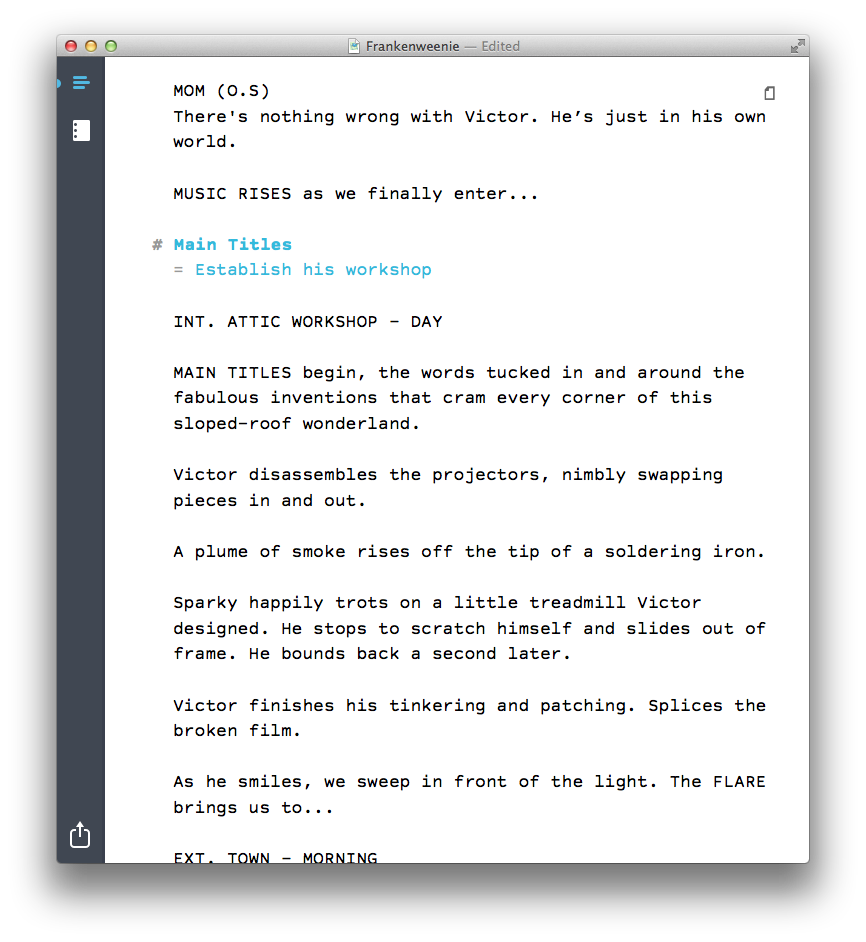
When you’re writing a script in [Highland](http://quoteunquoteapps.com/highland), you can turn on Dark Mode (⌘D) to flip the colors in the edit view. So instead of this:

screenshot

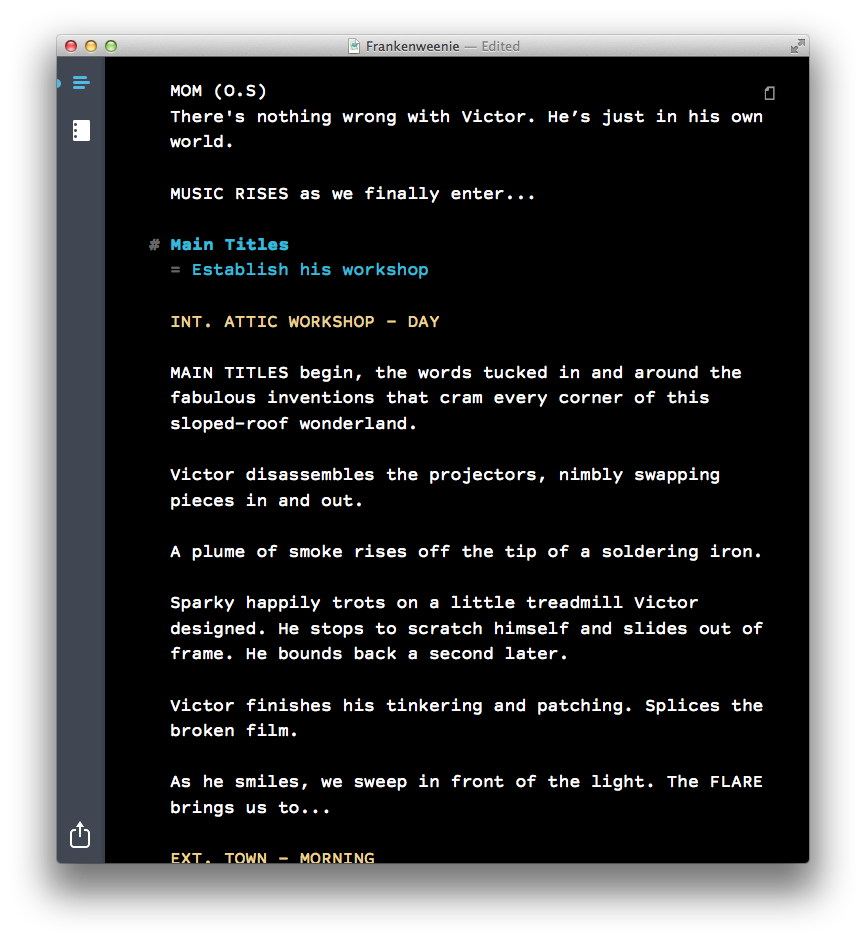
In Dark Mode, you get this:

screenshot

Dark Mode is useful for writing at nighttime or in darker locations, when you don’t want to be staring at a bright screen. It can also be easier on your eyes.

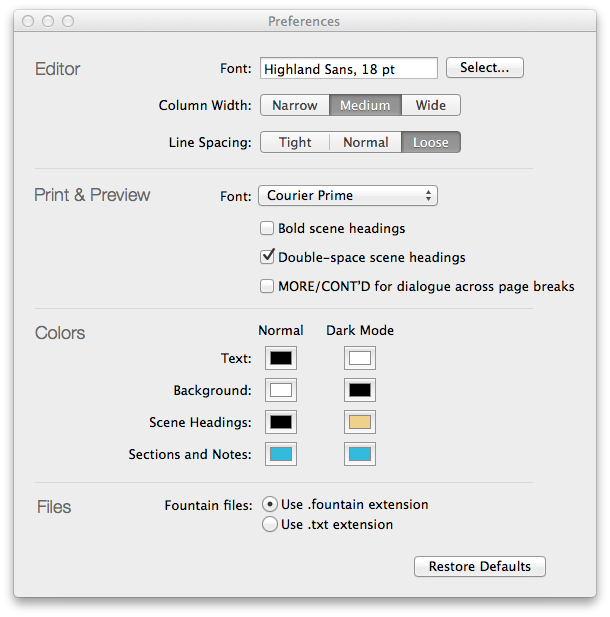
But you’re not limited to white text on a black background. You can customize the colors to your heart’s content in Preferences.

screenshot

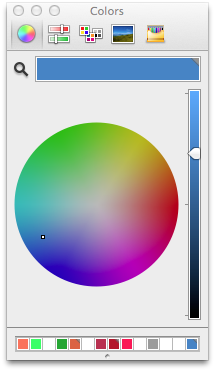
color picker
Under Colors, click on any of the color swatches to bring up the color picker. Here you can set your choices for text, background, scene headings and notes, for both Normal and Dark Mode.

In the color picker, I often click the magnifying glass, which sets the color to anything I can click on screen. It’s a handy way to get exactly the color I want. (In the first version of this post, I called this an eyedropper instead of a magnifying glass, because in most image editing apps, the equivalent tool is an eyedropper. As a UI metaphor, which tool makes more sense? Discuss.)

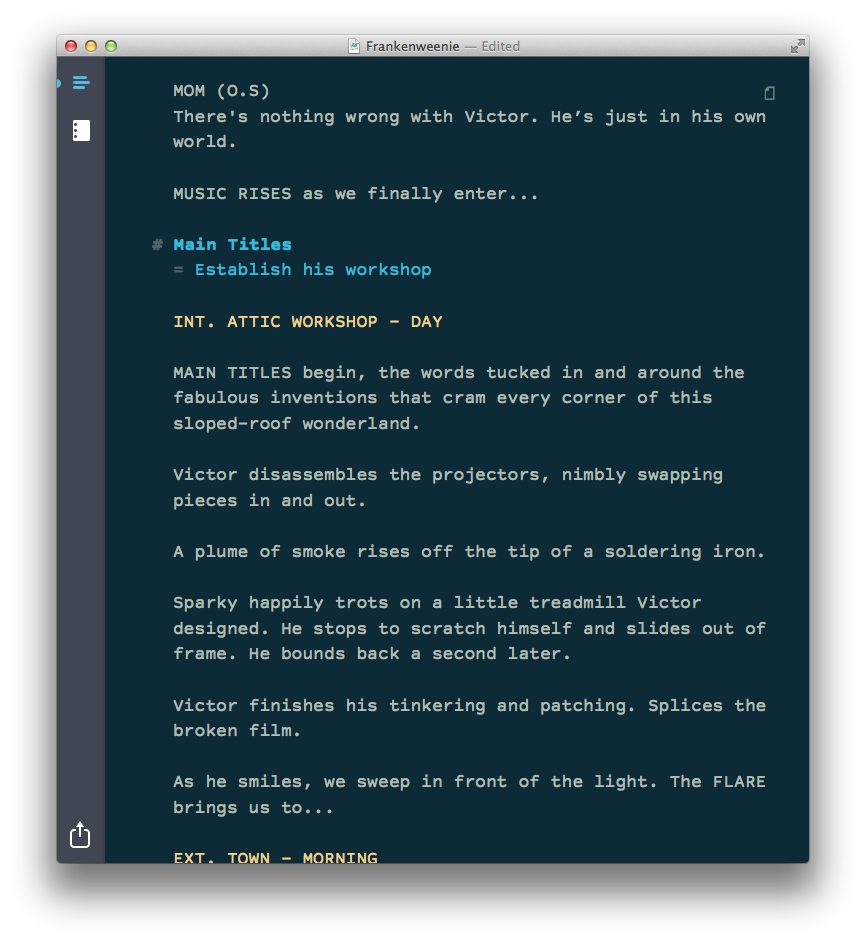
Most days, this is the color scheme I use in Highland:

screenshot

It’s pretty close to Ethan Schoonover’s [Solarized Dark](http://ethanschoonover.com/solarized) theme, and works particularly well with Highland’s default typeface (Highland Sans).

If you feel like going down the color theme rabbit hole, there are [myriad options](http://eclipsecolorthemes.org) out there, most of which were originally designed for coders. ((In many ways, screenwriting resembles coding; you’re writing the plan for creating something else, using specific and esoteric terminology.)) The magnifying glass is usually the easiest way to try these different configurations. Just click on a theme’s color swatches in the website. ((We’re discussing whether to build editor themes into a future edition of Highland. If you have an opinion, let us know.))

Because Highland will let you pick any colors you want, we have to be smart about what color we use for selecting text. We’re generating the highlight color programmatically, using the following code:

CGFloat selectionAlpha = 0.2;

NSColor *invertedBackgroundColor = [NSColor colorByInvertingColor:backgroundColor];

[self.textView setSelectedTextAttributes:@{NSBackgroundColorAttributeName: [invertedBackgroundColor colorWithAlphaComponent:selectionAlpha], NSForegroundColorAttributeName: invertedBackgroundColor}];

In English, this means we’re setting the background color of the selection to the inverse of the normal background color, with the opacity knocked down to 20%. Meanwhile, the text color is set to the inverted normal background color. As a result, you’ll always be able to read highlighted text, no matter what colors you choose.

If you haven’t tried Dark Mode or customizing colors, give them a shot. They’re both small things, but they make working in Highland just a little more delightful.

As always, you can find Highland in the [Mac App Store](https://itunes.apple.com/us/app/highland/id499329572?mt=12).

Getting 2-Up preview in Highland

July 22, 2014 Apps, Highland

Over the weekend, we sold the most-ever copies of Highland, thanks largely to the Mac App Store’s “Explore Your Creativity” promotion.

With new users come new questions to the support desk, including this one I’m surprised never came up before:

> Is there any way to see two pages side-by-side in the preview?

There is!

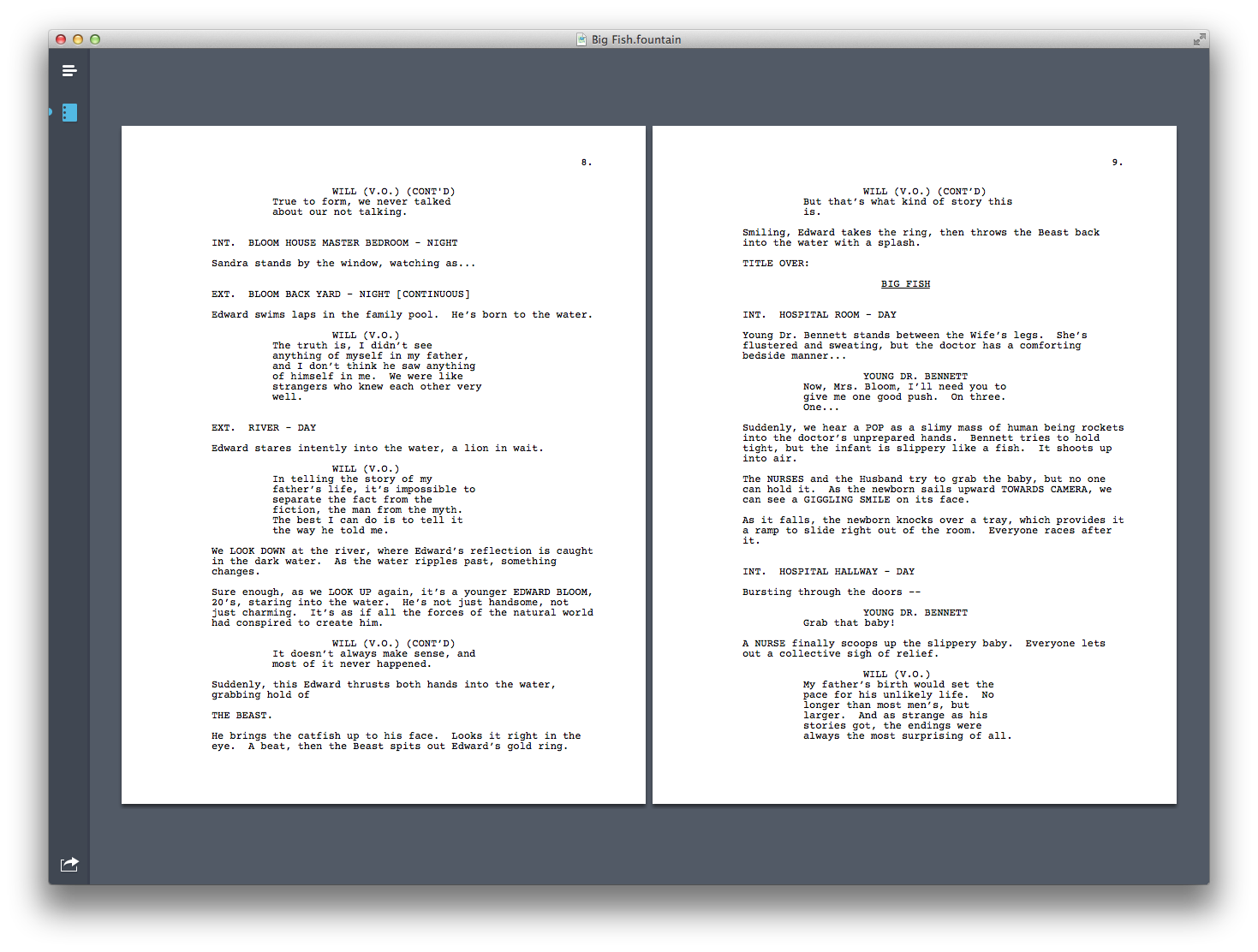
In the preview, right-click (or control-click) and you’ll get a menu letting you choose the layout. Highland defaults to “One Page Continuous,” but you can choose “Two Pages Continuous” to get a 2-up view.

screenshot

You can find more answers and tips in [Highland’s FAQ](http://quoteunquoteapps.com/highland/faq).

During the Mac App Store promotion, Highland is half-off, [just $14.99](https://itunes.apple.com/us/app/highland/id499329572?mt=12).

Highland and other screenwriting apps on sale

July 18, 2014 Apps, Fountain, Highland, Screenwriting Software

![Highland on MacBook Air](http://johnaugust.com/Assets/highland-macbook-air@2x.jpg)

Apple asked Highland and several other screenwriting apps to be part of their Explore Your Creativity promotion on the Mac App Store. It’s a great time to check out these apps at discounted prices, and perhaps pick a new favorite.

[Highland][highland] is the app we make. It’s half off during the promotion, $14.99 rather than $29.99.

Over the past year, Highland has become the second-bestselling screenwriting app in the Mac App Store, after [Final Draft][finaldraft] (which is also on sale for $124.99). Users choose Highland for its speed and minimalism. You just type; Highland figures out which elements are which.

For the past year, I’ve done all my screenwriting in Highland and love it. You can see more about it, including a video, at our [website][highlandweb].

[Slugline][slugline] is Highland’s longtime pal, also on sale for 50% off ($19.99 versus $39.99).

Slugline’s editor does more on-the-fly formatting, with text moving while you type. If you’re used to traditional screenwriting apps, you may find it comfortingly familiar. If you’re used to plain text editors, you may find it distracting.

The great news is that Slugline and Highland share the same format (Fountain), so you can freely move back and forth between them. In fact, at these prices you can get both Highland and Slugline for the cost of one, so if you’re curious about working in a plain text app, get both.

While it’s not strictly a screenwriting app, [Scrivener][scrivener] has many fans for its extensive feature set, including corkboards, outlines, tables and images. In many ways, it’s the opposite of Highland’s minimalism, but if you need an app that can handle a thousand-page research report, Scrivener may be a good choice. It’s half-off at $29.99.

[Fade In](https://itunes.apple.com/us/app/fade-in/id488557039?mt=12) isn’t part of the Mac App Store promotion, but if you’re looking for an app that does many of Final Draft’s production features, Craig swears by it. (It’s $49.99.)

I’m excited that there are more choices than ever for screenwriters. I hope this promotion gets more users trying out alternatives, and picking the apps that suit them best.

[slugline]: https://itunes.apple.com/us/app/slugline/id553754186?mt=12 “slugline”
[highland]: https://itunes.apple.com/us/app/highland/id499329572?mt=12 “highland”
[finaldraft]: https://itunes.apple.com/us/app/final-draft-9/id454277974?mt=12 “fd9”
[highlandweb]: http://quoteunquoteapps.com/highland “highland web”

[scrivener]: https://itunes.apple.com/us/app/scrivener/id418889511?mt=12 “scrivener”

« Previous Page
Next Page »

Primary Sidebar

Newsletter

Inneresting Logo A Quote-Unquote Newsletter about Writing
Read Now

Explore

Projects

  • Aladdin (1)
  • Arlo Finch (27)
  • Big Fish (88)
  • Birdigo (2)
  • Charlie (39)
  • Charlie's Angels (16)
  • Chosen (2)
  • Corpse Bride (9)
  • Dead Projects (18)
  • Frankenweenie (10)
  • Go (29)
  • Karateka (4)
  • Monsterpocalypse (3)
  • One Hit Kill (6)
  • Ops (6)
  • Preacher (2)
  • Prince of Persia (13)
  • Shazam (6)
  • Snake People (6)
  • Tarzan (5)
  • The Nines (118)
  • The Remnants (12)
  • The Variant (22)

Apps

  • Bronson (14)
  • FDX Reader (11)
  • Fountain (32)
  • Highland (74)
  • Less IMDb (4)
  • Weekend Read (64)

Recommended Reading

  • First Person (87)
  • Geek Alert (151)
  • WGA (162)
  • Workspace (19)

Screenwriting Q&A

  • Adaptation (65)
  • Directors (90)
  • Education (49)
  • Film Industry (489)
  • Formatting (128)
  • Genres (89)
  • Glossary (6)
  • Pitches (29)
  • Producers (59)
  • Psych 101 (118)
  • Rights and Copyright (96)
  • So-Called Experts (47)
  • Story and Plot (170)
  • Television (165)
  • Treatments (21)
  • Words on the page (237)
  • Writing Process (177)

More screenwriting Q&A at screenwriting.io

© 2026 John August — All Rights Reserved.