Bronson Watermarker Pro, our app for generating personalized watermarked documents, is out today. This all-new version adds support for images (nearly any format) in addition to PDFs, along with many quality-of-life enhancements for professional users.
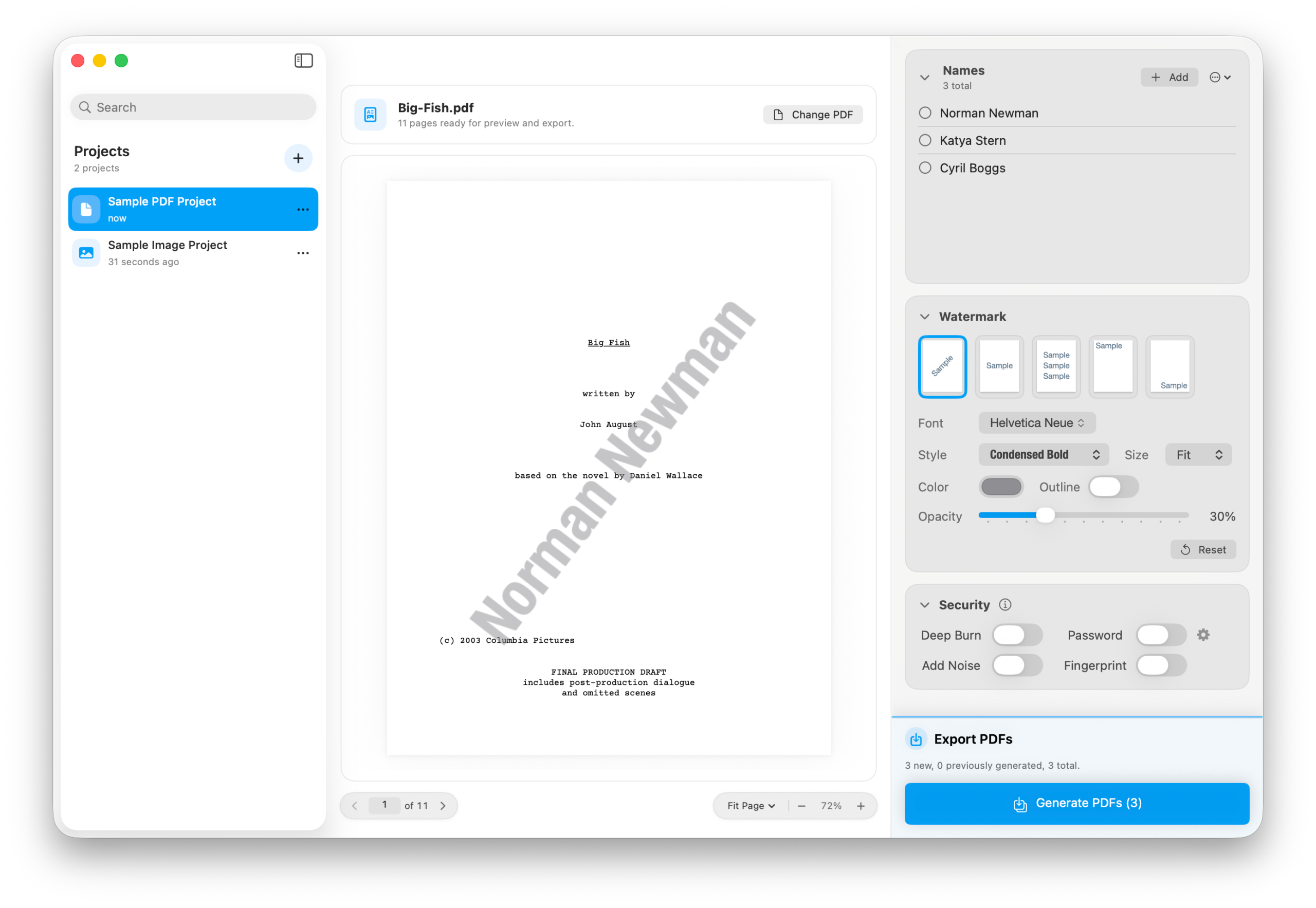
Like most of the apps we make, Bronson exists because of a very specific pain point I encountered.
While developing the Big Fish Broadway musical, I needed to create 40 PDFs of the script for a rehearsal, each watermarked with the person’s name. There were lots of apps that could do it one PDF at a time, but none that could handle dozens at once.
Faced with the prospect of spending hours generating these PDFs, I asked Nima Yousefi to put something together. Here’s what I wrote:
I need an app that can take a list of names and generate individual PDFs with each of those names, then save each PDF with that file name.
The result was Bronson Watermarker PDF. Over the last decade, it’s become the go-to app for watermarking PDFs in Hollywood. If you’re a script coordinator or assistant, you’ve probably used it. If you’re a writer who’s received a watermarked script, that likely came from Bronson.
Of course, PDFs aren’t the only thing people need to watermark. Many users — especially artists and photographers — asked for the ability to watermark images. We’ve added these to Bronson Watermaker Pro.
Image projects can hold dozens of images. You can tweak the settings per-image to make sure the watermark is visible but not ruinous.
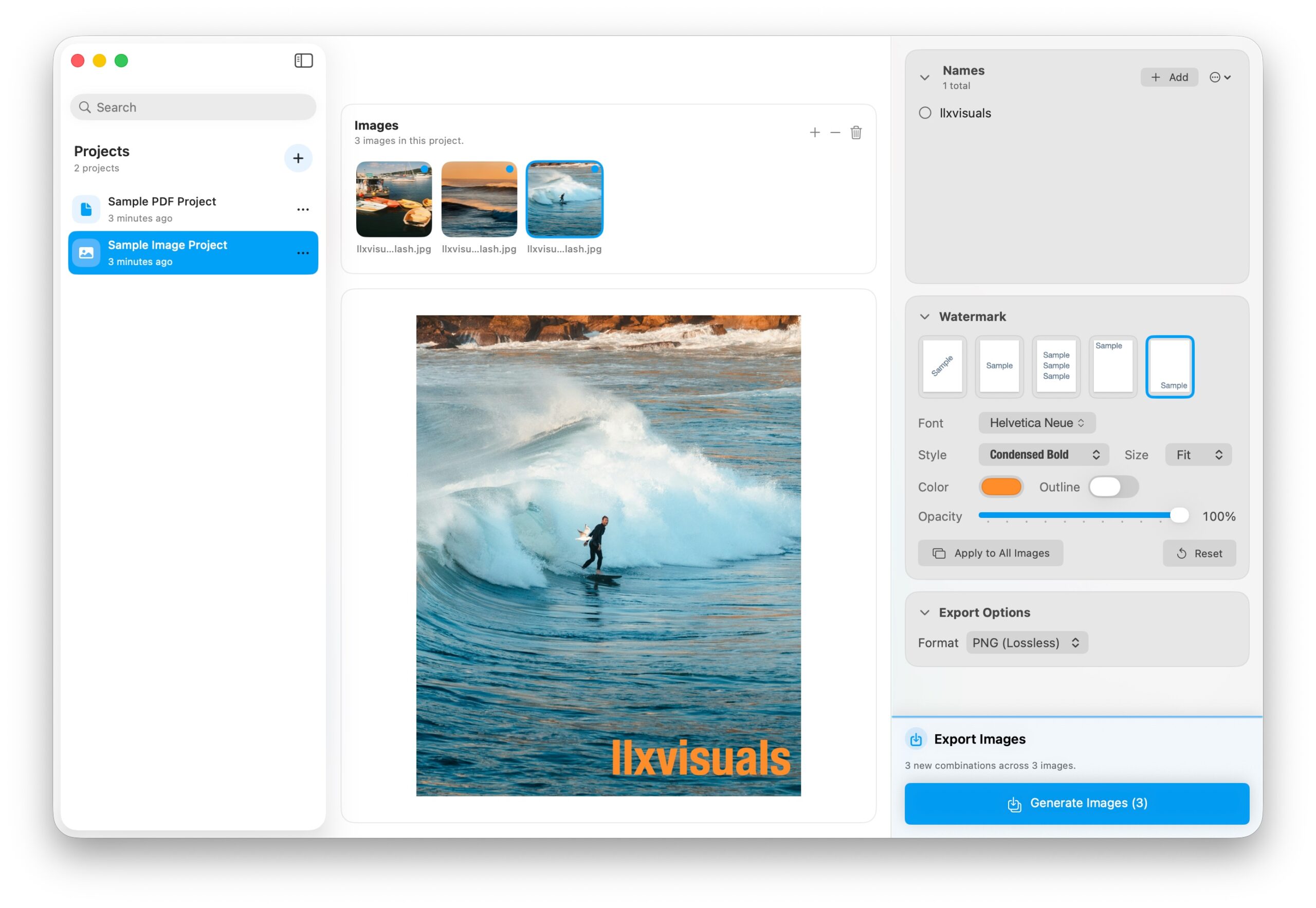
The new app also has two major improvements to the workflow.
Bronson is now a “shoebox app.” All of your projects are now available in the sidebar on the left, which syncs via iCloud with your other Macs. If you’re regularly sending things to the same people (eg. script revisions), just duplicate the project and swap out the PDF.
A second major improvement is the ability to selectively output documents. Say you’ve watermarked forty copies of that pitch deck, but now you need to do one more. You can simply add that additional name and regenerate just that one copy.
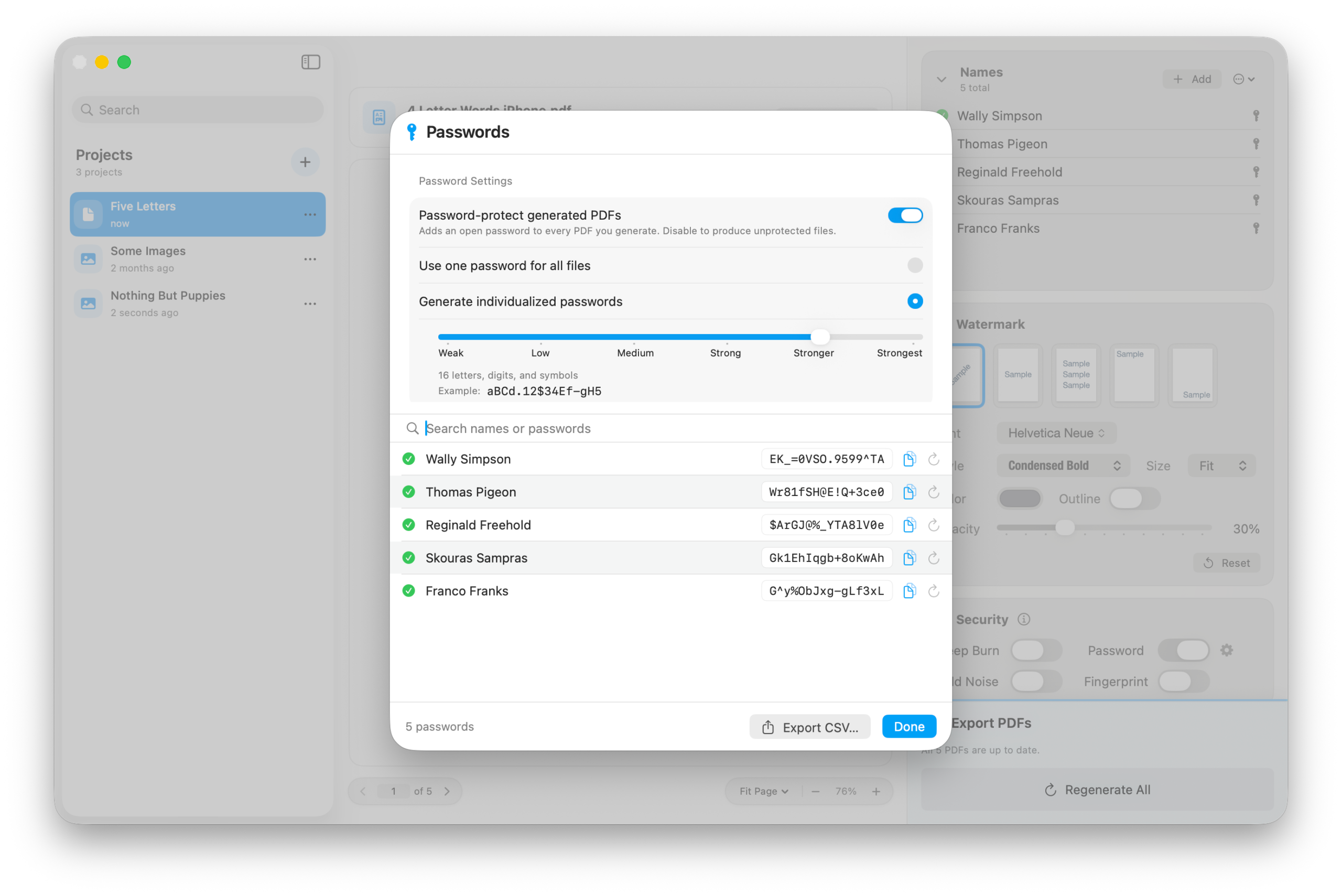
Bronson Watermarker Pro retains the ability to create password-protected PDFs, with a new view showing the results.
If you’re already using Bronson, Bronson Watermarker Pro is a no-brainer. It’s everything you’ve loved, updated for the next ten years. If you’re new to Bronson, the free download gives you a trial version with all the features.
Bronson Watermarker Pro is available exclusively in the Mac App Store.