Reading scripts on the Kindle

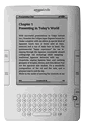
kindle Ever since I got my Kindle,1 I’ve been looking for a good way to read scripts on it.

Emailing a .pdf would result in mangled margins and bizarre gaps. Converting to a .doc format with a very specific template would give me something almost acceptable, but meant a lot of extra labor, and wouldn’t work for .pdfs of existing scripts.

So it was with great anticipation that I installed the free 2.3 software update that finally gave my little Kindle the option of using honest-to-goodness .pdfs.

It works just as I had hoped, except for the fact that the type is pretty damn small. Like, list-of-ingredients small. My friend Cort pointed out that the Kindle screen is only as wide as a buck slip, so there’s only so much real estate available.

After all this wishing and hoping, I’m not sure I’ll be reading many scripts on my Kindle. (The upcoming Nook from Barnes and Noble has essentially the same size screen, and will likely have the same kind of problem.)

The update gives you the option of rotating the screen, so you can see it much closer to full size, but then you have to read half a page at a time. The update is also supposed to increase battery life dramatically.
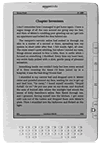
kindle DXBottom line: if you have a small Kindle, install the update. You might be willing to live with the tiny type (or half-pages) for reading screenplays.

If you’re thinking about buying a Kindle, take a second look at the bigger Kindle DX, which has a screen better suited for scripts. I know a lot of people who are using it daily to read screenplays.

  1. I started with the original model, and later replaced it with the Kindle 2 .
  • Digg
  • Facebook
  • Reddit
  • SphereIt
  • StumbleUpon
  • Twitter
December 1, 2009 @ 12:16 pm | Comments (28)
Filed under: Follow Up, Geek Alert

28 Responses to “Reading scripts on the Kindle”

  1. JamesHutchinson

    Got a Kindle DX, why, I was reading VOLTRON on the subway only this morning. Apart from the insane price tag and some updating issues, it’s highly recommended. I love it.

  2. Mark Kawakami

    You’re right, reading scripts on the Kindle 2 is awkward, but I’ve found it’s not completely unreasonable. However I got to thinking: The big problem is that the scripts are just too wide to display comfortably. However with the new Final Draft fdx file format, it’s conceivable to write a little program that will reformat it by basically cutting all the line lengths and left margins in half, which should give you a that’s basically like a regular screenplay, just half as wide and twice as long. That should read on a Kindle just fine.

    Now, I haven’t actually done this, so it’s all theoretical and there’s big downsides here (mostly in that the page numbers will be off), but it’s possible. What would really work better is for someone to figure out how to translate a screenplay into something that displays natively in the Kindle’s .azw format but preserves as much formatting as is reasonable to do so, so that all the features like text-resizing and annotations can be used fully.

  3. JB

    I have happily read scripts in pdf format on my iPhone. Small screen, but format is preserved, and easy to read….

  4. John

    @Mark Kawakami:

    Yup, it’s totally possible with Final Draft’s .fdx format, and if I had a weekend to mess with an XML parser, it could probably be done fairly simply. (Alternately, Nima could do it in hour.)

    Problem is, you’re still stuck only reading scripts for which you have an Final Draft file to convert. Pdfs are the norm.

    Since Nima’s busy with school, if someone else feels like giving it a crack, let us know.

  5. Matthew

    I am reading tons of scripts on the DX, having purchased it because it had the native pdf capability out of the box. I am considering in 2010 explicitly asking everyone to only send me scripts electronically. It’s saving my back, and I’m seeing more studio execs and agents carrying them.

    Maybe Amazon could be lobbied to add fdr and fdx to the list of files their email-to-Kindle conversion supports? Also, I’d love to be able to take some kind of notes when I’m reading a pdf, not just on books bought in the store.

  6. Marble

    Have you tried cropping the margins of your PDFs in Preview? It’s like two-clicks easy:

    Open the script in Preview.

    Select all the pages.

    On the open page, use the crop tool to drag a rectangle of the size you prefer for your new page.

    Tools -> Crop. File -> Save.

    In my imagination, the above would help a lot.

  7. gilliebean

    I usually print my scripts 4 pages to 1 page. So I can’t imagine that I’d have any trouble with it. On my iPhone I usually turn it landscape and read the PDFs that way. It’s been fine so far. Er… um… so there?

  8. Jason at Filmmaking Stuff

    I’m actually pretty excited about this. Thanks for the link. I’m going to check and see if my software is already updated or not… If not, I’ll force the manual install.

  9. Greg Bulmash

    There are some PDF to text parsers. If you can get a reliably marked-up output from them, you could probably write a quick script to reformat the file for Kindle and then use an e-book conversion tool like Calibre to convert them into a handy Kindle-friendly file.

  10. Andrew M

    I was so excited to see it had native pdf support that I tried a family members Kindle… only to be disappointed. I can read the text fine as I have young eyes, but I can’t justify buying the lower priced Kindle just to read scripts that small. Maybe the DX when I strike it rich someday…

  11. Schmetterling

    I’ve actually worked with medical imaging and gesture recognition on handhelds, and it’s amazing how easy it can be if you make a good foundation in the code.

    Oh, that screenplay I’m working on….I’m waiting for magic valkries to dictate it to me. Green ones.

  12. Lester

    Want to make some money with that amazon link? or is it another experiment to check if you are an influencer? haha.

    All people from this University seem way too smart…

    http://www.techcrunch.com/2009/11/29/email-of-the-week-journalism-school-language-police/?utm_source=feedburner&utm_medium=feed&utm_campaign=Feed%3A+Techcrunch+%28TechCrunch%29

    My suggestion to readers: wait. The ebook readers are going to improve dramatically next year, don´t overconsume!

    have a good one!

  13. Sergio Barrejón

    You’re right. I’ve got a DX, and it’s perfect for scripts.

  14. JDC

    The new firmware also has a manual rotate function. Don’t know if this works with PDFs but if som would reading it landscape help?

  15. Nathan Buxton

    What’s wrong with reading half a page at a time? Use what you got, I say.

    Although the new DX would be nice… too pricey for me.

    Now if the kindle could read your script to you in microsoft sam that would be the best! :P (Crow’s nest anybody?) <— I hope someone understands that :P

  16. Christian H.

    There’s a lot of new eReaders coming out in 2010, including ones that are touch screen and dual screen for web surfing using Google Android. There’s one from Plastic Logic coming that is 8.5 x 11 and prices should really start going down. I’ve been considering a DX because I read a lot of text books and the pile is getting too big. It’d be great if I could get them all digitized.

  17. Jesse

    My friend just reads it landscape, and I think that looks great. You have to read it half a page at a time, yes, but…it looks fine.

  18. Douglas

    I agree it’s time for the industry to save some trees. Can’t wait for apple’s fabled tablet PC to come out. That will change everything. In the meantime, I have a method for reading electronic scripts on my macbook that works very well. Open the PDF in preview. Hit ⌘ L to rotate the entire document 90 degrees left. SHIFT ⌘ F puts the document into full screen slideshow mode. Finally, select the “fit to screen” button to fill the screen with the script. I set my macbook on my lap and turn it 90 degrees right, then read the script comfortably, advancing pages by pressing the right or down arrow key. It’s about 80% the size of a real script this way and works great. Please note, Preview can be buggy, sometimes you must press play, then pause to get the slideshow to start. Matthew — when reading scripts this way, I dictate notes into a digital audio recorder. I quickly cite scene number or page and the note, then transcribe them into a text file afterward (or simply execute them if it’s my script). I’ve timed this against handwritten notes and it’s significantly faster.

  19. John

    @Marble:

    Your suggestion helps. Horizontal space isn’t the issue — what you really need to trim is vertical. If you’re willing to cut off page numbers, you can make the overall text about 10% bigger. Which may be just enough to make it worthwhile.

    Thanks.

    @Lester:

    I code everything that links to Amazon so I can check click-throughs. That includes Kindle downloads, which don’t kick back any money.

    Also, you came off as a dick in your comment. Just so you know.

  20. John

    @Douglas:

    I just tried your rotate-the-Macbook suggestion. It’s terrific, even if it will get a few stares at the coffeeshop. I’ll try to front-page it soon. Thanks.

    Yes, we’re all basically waiting for the Apple tablet.

  21. Mark Kawakami

    I was showering this morning when I realized I was thinking about this all wrong. I was looking at ways to make the page smaller, when really, the issue is that the font just needs to be bigger. This should work for any screenwriting software: Save a copy of the script, select all the text and set it to 24pt, then save it as a PDF (you may need to adjust the line-height as well, if it’s explicitly set to 10pt). That should double the font size, and since it’s in a monospace font, there should be a somewhat good 2:1 correlation between the new page count and the old page count.

    Obviously this is no good for anyone who only has the PDF and not the original script and whatever software can read it (which for a lot of people will usually be the case, unfortunately), but it’s better than nothing.

  22. Erlend

    I’m using the iRex DR 1000. Has got a bigger screen than the Kindle, from what I’ve heard. Almost normal sized A4-pages… I love using it for reads. It’s the one with the stylus pen and stuff.. A bit on the expensive side, but nothing beats comfort – right? :)

  23. Jason

    Just wanted to thank you for introducing to me the term ‘buckslip’.

  24. James Billy Hill II

    Love the fact that you called a commenter on your blog a “dick.” It just made my morning. Thanks.

    ps. Yeah, waiting for the Apple Tablet.

  25. Lester

    John,

    I don´t know why you insult me. I just made an acid comment. Don´t tell me that you can´t take it. You should be thankful to have such inspiring, conflictive, dialogues on your blog.

    Anyway, I´m not going to be as rude as you. And thanks for not censoring… have a fantastic life.

  26. Monica Solon

    @ Mark – I tried font 18pt and the script (an fdr saved as pdf) showed a reasonable size on Kindle 2 (I didn’t even touch the margins). Thanks!

    What I really would like to have on Kindle is the possibility of creating folders… any hints on how to do that?

  27. martin

    the marvels of writer’s isolation. i’ve been turning my laptop for years and never once thought I was doing anything extraordinary. I tell you something else I do: I set the laptop at eye level with my bed. then rotate the pdf (to the right, in my case) so I can read them while horizontally in bed. then I time the laptop to turn off at 50 min. after that (in case I fall asleep) or I time the battery use so that it runs out by that time. Sick, I know, but it beats a pacifier.

  28. Buddy Scalera

    I recently read that the Avatar screenplay was not printed, but rather carried around on Kindles. That’s kind of cool because they aren’t killing tress to make a movie about the environment.

    I’ve found that reading screenplays in landscape mode is nice on the eyes, but you have to click constantly. There’s a lot of spacing in screenplays.

    Buddy


About

This site is run by screenwriter John August. Mostly, he answers reader-submitted questions about the craft, but occasionally he goes on tangents that run far afield of writing and filmmaking. You'll also find info on past, present and future projects.

Follow Me

On Twitter: @johnaugust

Ask a Question

If you have a question about screenwriting or my movies that hasn't been answered, by all means ask. There are a few guidelines to follow.

Featured Articles

101: Some screenwriting basics


There are more than 900 articles on the site. You can find category archives at the bottom of every page.

Read Me

  • The Variant
  • A new short story available for download, Kindle and iPhone.

Feeds