• Skip to primary navigation
  • Skip to main content
  • Skip to primary sidebar

John August

  • Arlo Finch
  • Scriptnotes
  • Library
  • Store
  • About

Apps

Luck, sequels and bus money

Episode - 162

Go to Archive

September 16, 2014 Adaptation, Film Industry, Follow Up, Fountain, QandA, Scriptnotes, Transcribed, WGA

This week, Craig and John tackle listener questions.

Why do some giant books get crammed into a single movie, while others get split into multiple films? How do you write a movie if you can’t even get your computer fixed? What should a screenwriter do if, after nine years of trying, he still can’t catch a break?

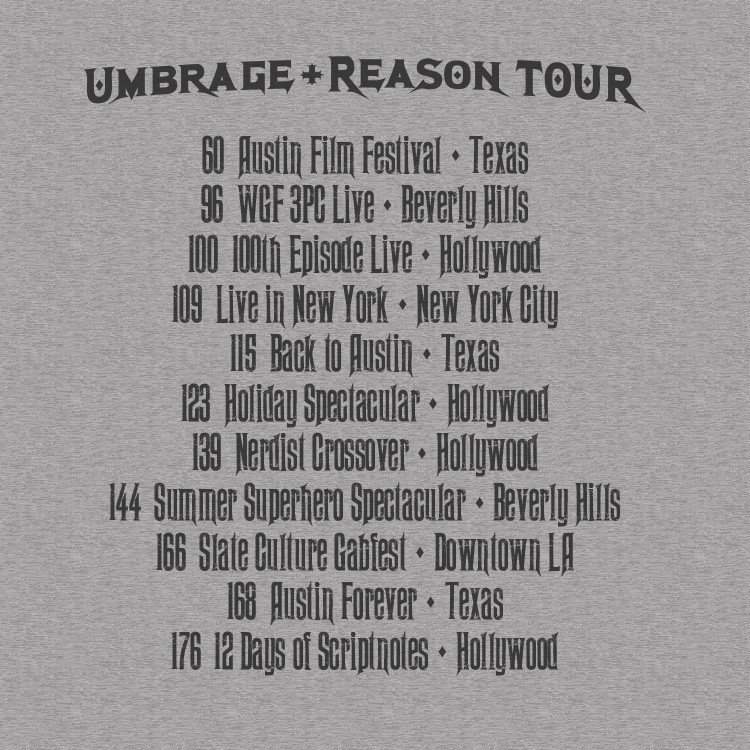
We don’t always have simple answers, but at least we have t-shirts. The new batch is available for pre-order starting today, so don’t wait.

If you’re in Los Angeles, the only chance to see us live this fall is at the Slate Culture Gabfest on October 8th. Check the link for tickets below.

Links:

* New shirts are [available for pre-order now through September 30th in the John August Store](http://store.johnaugust.com/)
* [Applause](https://en.wikipedia.org/wiki/Applause_(musical)), the All About Eve musical, on Wikipedia
* [Get tickets now](http://www.slate.com/live/la-culturefest.html) for October 8th’s live Slate Culture Gabfest with guests John and Craig
* [Fountain](http://fountain.io/) is a plain text markup language for screenwriting
* [WriterDuet](https://www.writerduet.com/)
* WGA [Low Budget Agreement](http://www.wga.org/uploadedFiles/writers_resources/LBAhandout.pdf)
* [Every Insanely Mystifying Paradox in Physics: A Complete List](http://sprott.physics.wisc.edu/pickover/physics-paradoxes.html)
* [Gillette Fusion ProGlide with FlexBall](http://gillette.com/en-us/products/razor-blades/fusion-proglide-flexball-razors/fusion-proglide-manual-razor-with-flexball)
* Styptic pencils on [Amazon](http://www.amazon.com/dp/B00E5QJC04/?tag=johnaugustcom-20) and [Wikipedia](https://en.wikipedia.org/wiki/Antihemorrhagic)
* Leave us a comment [on iTunes](https://itunes.apple.com/us/podcast/scriptnotes-podcast/id462495496?mt=2)
* Get premium Scriptnotes access at [scriptnotes.net](http://scriptnotes.net/) and hear our 1,000th subscriber special
* [Outro](http://johnaugust.com/2013/scriptnotes-the-outros) by Scriptnotes listener Rajesh Naroth ([send us yours!](http://johnaugust.com/2014/outros-needed))

You can download the episode here: [AAC](http://traffic.libsyn.com/scriptnotes/scriptnotes_ep_162.m4a) | [mp3](http://traffic.libsyn.com/scriptnotes/scriptnotes_ep_162.mp3).

**UPDATE 9-19-14:** The transcript of this episode can be found [here](http://johnaugust.com/2014/scriptnotes-ep-162-luck-sequels-and-bus-money-transcript).

Less IMDb gets unbroken

August 19, 2014 Apps, Less IMDb

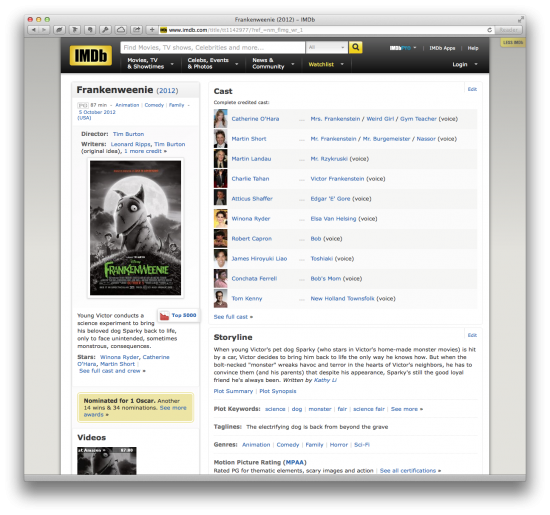
We love IMDb, but man, there’s a lot of clutter on those pages. That’s why one of our very first coding projects was [Less IMDb](http://johnaugust.com/2010/less-imd), a browser extension that rearranges IMDb pages to emphasize credits and minimize everything else.

screen shot

For the past four years, Less IMDb sat in the righthand margin, quietly doing its job. Occasionally it would encounter an odd IMDb page that didn’t play nicely — often a themed page with oversized ads — but for the most part it worked as intended.

Then last month Less IMDb broke altogether. So Ryan Nelson dusted off the code and got it working again.

The Safari version of Less IMDb has been updated to 1.3.1 and is available [here](http://quoteunquoteapps.com/less-imdb). He’s working on the Chrome version now.

Unfortunately the auto-updaters for both Safari and Chrome won’t work properly, so you have to download and install it yourself.

For best results, uninstall your existing version of Less IMDb first. (After all, you don’t want More Less IMDb.)
You can find it in Preferences > Extensions.

Then [download the new one](http://quoteunquoteapps.com/less-imdb) and follow the instructions. (There is also a (https://www.youtube.com/watch?v=Nv0A5XUOpBg).)

What’s New:

– The sidebar is back when Less IMDb is turned on.
– Fixed formatting of release date, genre, and runtime information.
– Added retina display support to Less IMDb controller icon.
– Fixed bug that hid ratings even when Less IMDb was set to off.
– Changed extension permissions to allow Less IMDb to run on any subdomain for better international support.
– Fixed bug that prevented video from playing.
– Fixed bug that prevented ratings from working.
– Future versions will automatically update once 1.3.1 is installed.

Known issues and notes:

– Older versions of the extension will not automatically update to the latest version, and should be deleted before using the updated extension.
– Pages with heavily-branded content may look funky, particularly those using dark backgrounds.
– Photos and video thumbnails don’t always load when Less IMDb is turned on.
– Apple’s Safari Extension gallery doesn’t yet link properly.
– The Less IMDb page is old and FAQ is out of date (update coming).

Once Ryan get the Chrome version finished, we’ll be open-sourcing the whole project. We’d love for coders to springboard off what we’ve done to build a Firefox version, for example, or incorporate it into some of new WebKit goodness announced for Yosemite.

Less IMDb continues to be a useful little utility, something you don’t notice until it’s gone. If you haven’t tried it, [give it a shot](http://quoteunquoteapps.com/less-imdb).

Secrets of Highland’s Dark Mode

August 18, 2014 Highland

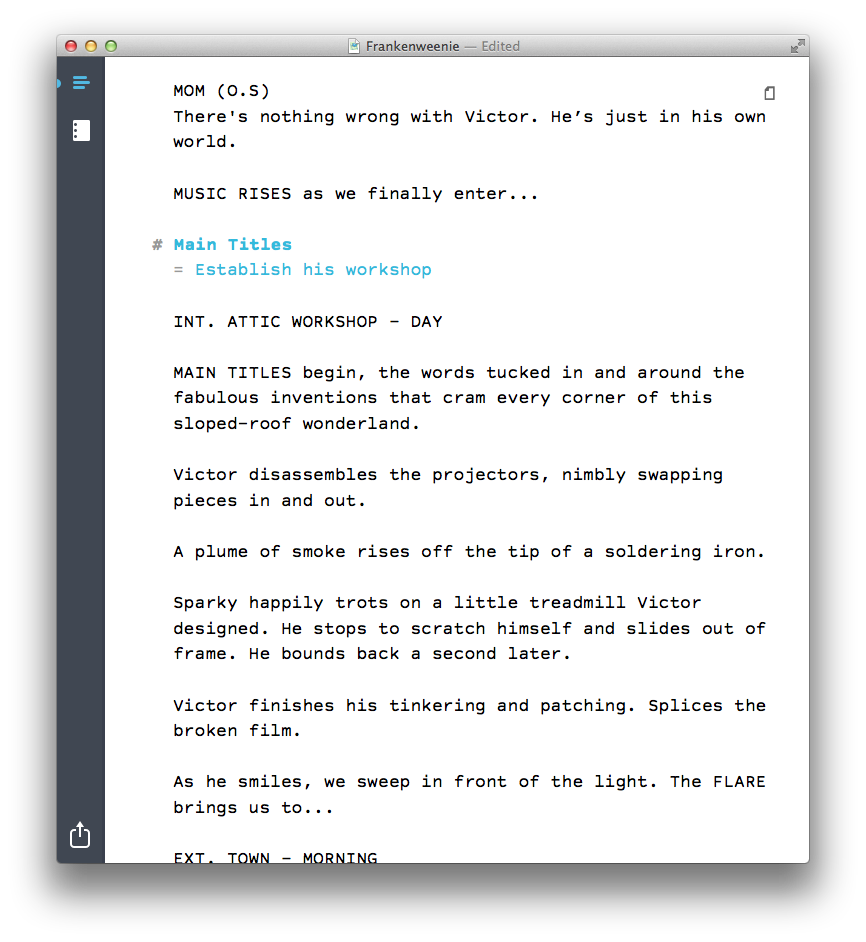
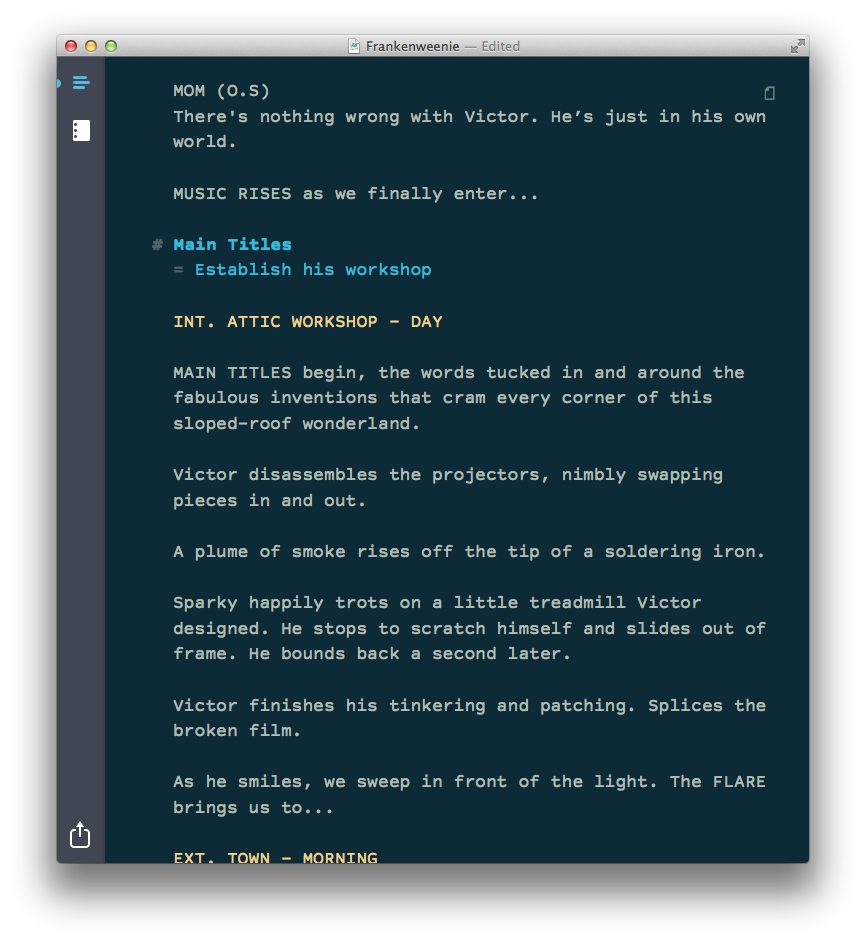
When you’re writing a script in [Highland](http://quoteunquoteapps.com/highland), you can turn on Dark Mode (⌘D) to flip the colors in the edit view. So instead of this:

screenshot

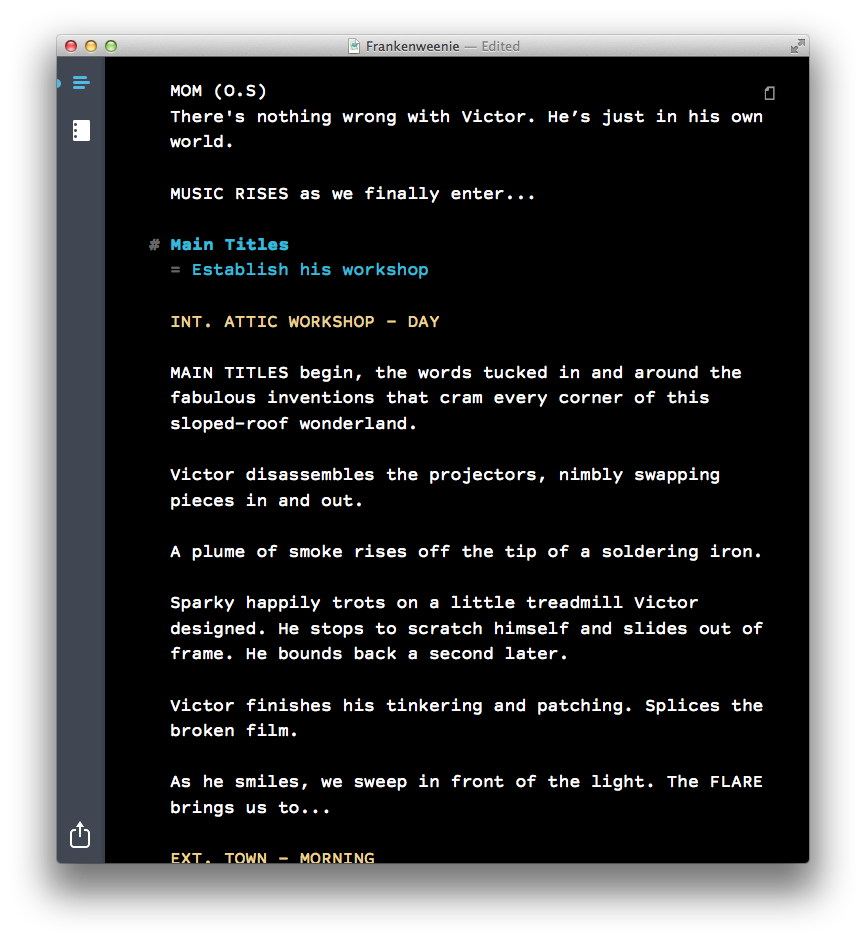
In Dark Mode, you get this:

screenshot

Dark Mode is useful for writing at nighttime or in darker locations, when you don’t want to be staring at a bright screen. It can also be easier on your eyes.

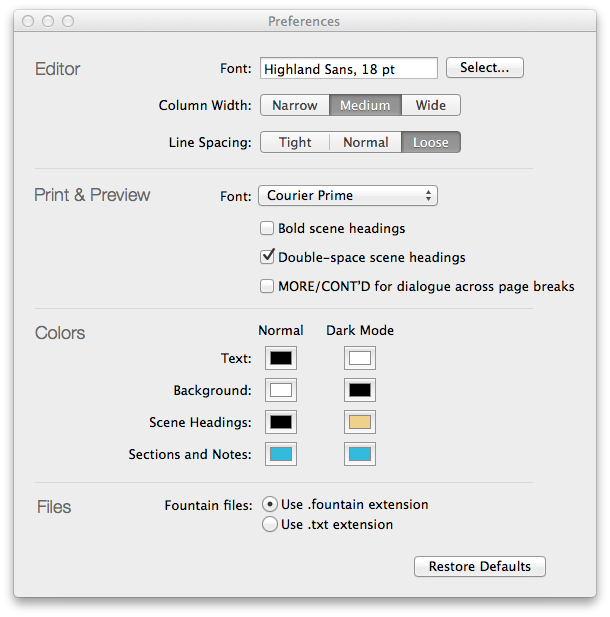
But you’re not limited to white text on a black background. You can customize the colors to your heart’s content in Preferences.

screenshot

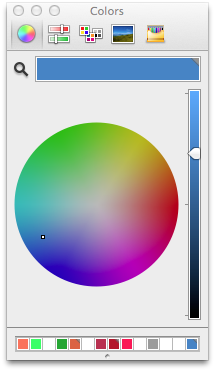
color picker
Under Colors, click on any of the color swatches to bring up the color picker. Here you can set your choices for text, background, scene headings and notes, for both Normal and Dark Mode.

In the color picker, I often click the magnifying glass, which sets the color to anything I can click on screen. It’s a handy way to get exactly the color I want. (In the first version of this post, I called this an eyedropper instead of a magnifying glass, because in most image editing apps, the equivalent tool is an eyedropper. As a UI metaphor, which tool makes more sense? Discuss.)

Most days, this is the color scheme I use in Highland:

screenshot

It’s pretty close to Ethan Schoonover’s [Solarized Dark](http://ethanschoonover.com/solarized) theme, and works particularly well with Highland’s default typeface (Highland Sans).

If you feel like going down the color theme rabbit hole, there are [myriad options](http://eclipsecolorthemes.org) out there, most of which were originally designed for coders. ((In many ways, screenwriting resembles coding; you’re writing the plan for creating something else, using specific and esoteric terminology.)) The magnifying glass is usually the easiest way to try these different configurations. Just click on a theme’s color swatches in the website. ((We’re discussing whether to build editor themes into a future edition of Highland. If you have an opinion, let us know.))

Because Highland will let you pick any colors you want, we have to be smart about what color we use for selecting text. We’re generating the highlight color programmatically, using the following code:

CGFloat selectionAlpha = 0.2;

NSColor *invertedBackgroundColor = [NSColor colorByInvertingColor:backgroundColor];

[self.textView setSelectedTextAttributes:@{NSBackgroundColorAttributeName: [invertedBackgroundColor colorWithAlphaComponent:selectionAlpha], NSForegroundColorAttributeName: invertedBackgroundColor}];

In English, this means we’re setting the background color of the selection to the inverse of the normal background color, with the opacity knocked down to 20%. Meanwhile, the text color is set to the inverted normal background color. As a result, you’ll always be able to read highlighted text, no matter what colors you choose.

If you haven’t tried Dark Mode or customizing colors, give them a shot. They’re both small things, but they make working in Highland just a little more delightful.

As always, you can find Highland in the [Mac App Store](https://itunes.apple.com/us/app/highland/id499329572?mt=12).

Getting 2-Up preview in Highland

July 22, 2014 Apps, Highland

Over the weekend, we sold the most-ever copies of Highland, thanks largely to the Mac App Store’s “Explore Your Creativity” promotion.

With new users come new questions to the support desk, including this one I’m surprised never came up before:

> Is there any way to see two pages side-by-side in the preview?

There is!

In the preview, right-click (or control-click) and you’ll get a menu letting you choose the layout. Highland defaults to “One Page Continuous,” but you can choose “Two Pages Continuous” to get a 2-up view.

screenshot

You can find more answers and tips in [Highland’s FAQ](http://quoteunquoteapps.com/highland/faq).

During the Mac App Store promotion, Highland is half-off, [just $14.99](https://itunes.apple.com/us/app/highland/id499329572?mt=12).

« Previous Page
Next Page »

Primary Sidebar

Newsletter

Inneresting Logo A Quote-Unquote Newsletter about Writing
Read Now

Explore

Projects

  • Aladdin (1)
  • Arlo Finch (27)
  • Big Fish (88)
  • Birdigo (2)
  • Charlie (39)
  • Charlie's Angels (16)
  • Chosen (2)
  • Corpse Bride (9)
  • Dead Projects (18)
  • Frankenweenie (10)
  • Go (29)
  • Karateka (4)
  • Monsterpocalypse (3)
  • One Hit Kill (6)
  • Ops (6)
  • Preacher (2)
  • Prince of Persia (13)
  • Shazam (6)
  • Snake People (6)
  • Tarzan (5)
  • The Nines (118)
  • The Remnants (12)
  • The Variant (22)

Apps

  • Bronson (14)
  • FDX Reader (11)
  • Fountain (32)
  • Highland (74)
  • Less IMDb (4)
  • Weekend Read (64)

Recommended Reading

  • First Person (87)
  • Geek Alert (151)
  • WGA (162)
  • Workspace (19)

Screenwriting Q&A

  • Adaptation (65)
  • Directors (90)
  • Education (49)
  • Film Industry (489)
  • Formatting (128)
  • Genres (89)
  • Glossary (6)
  • Pitches (29)
  • Producers (59)
  • Psych 101 (118)
  • Rights and Copyright (96)
  • So-Called Experts (47)
  • Story and Plot (170)
  • Television (165)
  • Treatments (21)
  • Words on the page (237)
  • Writing Process (177)

More screenwriting Q&A at screenwriting.io

© 2026 John August — All Rights Reserved.