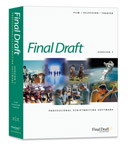
New Final Draft version 7.0 is…marginally better
My screenwriting software of choice has long been Final Draft, which is 90% great, 10% maddening and significantly better than any of the other programs I’ve tried — and believe me, I’ve tried a bunch. This past month, Final Draft came out with version 7.0, which was the first major update in a while.
On the plus side, the new version is stable. It hasn’t quit on me, and it hasn’t had the same refusing-to-launch problem the last version had. It doesn’t choke on the previous version’s files, which is a problem I’ve encountered every previous integer-level upgrade.
One nice new feature is the ability to split a document window, so you can see two parts of the script at the same time. You can show one of the panels in scene-navigator view, or as index cards — which can now have two sides. On a big screen, keeping the left panel open to the scene navigator lets me click through to specific sections quickly.
Splitting the screen is helpful, but hardly revolutionary. Many Mac programs — including Microsoft Word — have had split windows for over a decade. Final Draft runs into familiar problems with this setup. If you make a selection in one panel that extends into the region shown in the other panel, the program freaks out. Caveat selector.
I never use Final Draft’s index cards. While in theory it would be great to reorganize your script just by moving some cards around, real life screenplays never work that way. Scenes aren’t Legos, and they can’t be flopped around willy-nilly. In my opinion, better choices for outlining are Omni Outliner and Pyramid. Each of these has free demo versions.
Final Draft 7 is apparently better at exporting .pdf files. That may be new for Windows, but if you’re using Mac OS X, I’d highly recommend using “Print…” and “Save to .pdf” instead. That way, you have all the options of the print dialog box, and you’re guaranteed to get just what the printer would.
There are other features I wish Final Draft had, such as XML export for the web, a clipping bin, and less-aggressive Smart Lists. But on the whole, the program works well for what I make my living doing. And for screenwriters lucky enough to have an honest-to-goodness movie on their hands, the production features alone are worth the price. Final Draft does a very solid job locking pages and tracking revisions, which makes sending out colored pages considerably easier than it has any right to be.
Should you buy Final Draft? Probably. Should you upgrade? That depends. If you’re happy with version 6, there’s really no pressing need. Version 7 isn’t bad, but it isn’t a huge improvement.


April 9th, 2004 at 10:04 am
I have had several major problems with Final Draft 7. The biggest problem was when I was working for two hours, and realized that the auto-save wasn’t working. I tried to save the script, and the program crashed. Two hours of work lost.
Yes, I understand that I should save all the time. However, I have gotten into the habit of assuming that my programs won’t crash randomly. I’m back on version 6 for now.
April 9th, 2004 at 12:05 pm
I’ve gone back to version 6 as well.
I’ve had a crash that killed the program (had to reinstall), drag and drop frequently didn’t work,
and the screen updates are really weird.
Movie Magic is no better. It has its own faults.
It amazes me that Final Draft 4 was so much more solid.
Isn’t software supposed to get BETTER as it matures?
April 9th, 2004 at 12:14 pm
I’m using Final Draft 7 on Windows XP. I chose FD because it had the least ugly interface and worked the most like Word, which is what I was used to. The program has had its quirks, and apparently that isn’t going to end with FD7.
Splitting the document window is a long-demanded feature, but in the end it doesn’t really make navigating all that convenient. There’s no way to save the layout once you get it the way you like, and resetting it (which you will have to do every time to launch the program) requires a tedious number of menu clicks. Not even button clicks, MENU clicks. A truly convenient and powerful navigating pane would be available with a single click and would feature a collapsible tree, with scene headings able to be arranged under sequences, and sequences under acts.
Saving to .pdf may have been improved, but at a terrible price. Each individual page of a script is now saved as a separate image within the file, which means your .pdf might be a whopping 8 Megs! For those of us using Windows, there is no built-in “save to .pdf” in the operating system. Final Draft’s official solution? Find yourself a third-party utility! (WHY can a freebee program handle this better than Final Draft!?) However, since FD prints the title page separately, you can NEVER have a .pdf file of your script with the title page intact by using this method. You instead end up with two separate files – the title page, and the rest of the script. Maddening.
Finally, I couldn’t agree more with John’s comments about index cards. Trying to emulate actual index cards on the computer is a clumsy way to outline. It’s silly to be so stuck to the metaphor. A real outliner integrated into Final Draft is long overdue.
April 9th, 2004 at 12:59 pm
David’s idea of a navigation tree, with collapsible scenes and sequences, would be amazing. But I suspect it would mean greatly restructuring the program, and how we work with it.
Right now, a Final Draft project is basically one long word-processing document, with a few relevant additions (notes, revision marks, scene numbers). In order to do what David proposes, Final Draft would need to have an underlying database structure, which I don’t think it really has. Instead, it simply looks at sluglines and guesses that these are probably the heads of scenes — which they aren’t, necessarily.
The question is, would I be willing to tell Final Draft, “Hey, this is a scene. Keep it intact.” No matter how elegant the interface, it would mean one extra step. I couldn’t just keep typing away like I do now.
Of course, the benefits would be many. Once the program can identify a scene as a discrete chunk, it can tag it with useful information. Rather than “INT. NOISY BAR - DAY”, the scene navigator could read “Mark confronts Tracy about the goat”. You could review multiple versions of a scene. Notes, images, music and anything else could be attached. And because it’s a database format, it would be a cinch to export the whole shebang in XML.
This past week, I’ve been learning Final Cut Express, and it’s maddening how much better designed the program is. I suppose Final Draft as it currently stands is Just Enough Better that there’s no motivation to try innovative new things. But I’m tempted to hire a genius programmer and build a Final Draft killer.
April 9th, 2004 at 2:32 pm
Has anyone tried Sophocles? What do they think about this compared to Final Draft or Movie Magic. I’ve played with all three and found that Sophocles seemed to be the most stable and have the most useful features, including some very useful reports and a collapsable outline view.
One thing is doesn’t do is work on a Mac, which as a Mac lover I find a royal pain in the rear end. Having said that, it runs niceley on Virtual PC, so I can’t moan too much.
I did write to them asking if they were going to do a Mac version, and I got an e-mail back from Tim Sheehan, the guy that wrote it, saying that they had plans to once they had the next version released on Windows. I live in hope…
Still, I wonder if you’d get that level of personal service from FD or MM?
April 9th, 2004 at 5:12 pm
I must retract what I said about there being no way to save the layout once you get it the way you like it in FD7. I don’t know what I was doing wrong before, but now the layout seems to be automatically saved along with the script. Or perhaps this issue was addressed with the recent patch.
Regarding Sophocles: Wow! and again, wow! Thanks for tip — the navigation pane is just what I was wishing for. Not only that, but there is a notes pane that stays open and allows you to browse from note to note, rather than having to double click to open a small unreadable window as in Final Draft. Brilliant. Not sure I’m ready to switch, but I’m going to watch this one closely. Sophocles could easily become a Final Draft killer.
April 9th, 2004 at 5:25 pm
Sophocles (http://www.sophocles.net ) does look fairly pimp. It certainly has the collapsible outline/navigator pane that David was pining for. I don’t have Virtual PC, but I’m tempted to get it just so I can try out the demo version.
April 10th, 2004 at 1:20 am
I tried to get into Final Draft, I couldn’t do it, I was using a word template for the longest time that worked really well, but I didn’t want to get left behind in the script software. I found that Movie Magic 2000 was awesome, not pretty by any means, but it has worked perfectly well for me. Final Draft seemed to piss me off in the little things. Such as, not being able to turn off those blasted continues at the end of the page. I’m writing my current script on Movie Magic, and so far I’m pretty happy with it. Converting to a PDF is also not a problem, maybe cause I have Acrobat 6 and it allows for instant conversion on any spreadsheet software. I’ll check out Sophacles. But I gotta say John, the idea of software being able to read scene headings with brief detail per scene, that would rock. I don’t know all of FD’s short cuts, but Movie Magic has great keyboard and scene/name/ and transition short cuts. It’s never screwed up on me, but maybe that’s just Mac quirks… Not much of a fan of Mac either, but oh well…
April 12th, 2004 at 4:26 pm
I’ve used both MovieMagic and Final Draft… Final Draft has the edge, but it seems to have an issue- at least with me and a couple other writers- of “scratching” or “blurring” fonts on parts of the pages. You basically have to refresh your screen by scrolling up and down. It’s pop up menus get a little over ambitious as well. Yes, I know you can turn it off, but I would like to be able to use it in moderation. It does have the nifty “profanity report”, which does a good job of keeping you from going Casino on your spec. Just my 2 cents.
April 12th, 2004 at 4:27 pm
Also, Final Draft looks prettier, which means a lot to aesthetiwhores like myself.
April 12th, 2004 at 4:42 pm
One neat thing Sophocles does; you can set your autobackup options to go by minutes or keystrokes. So, for example, instead of backing up the past fifteen minutes you spent staring at your screen, it can back up, say, every 3,000 keystrokes. Neat touch.
April 15th, 2004 at 10:18 pm
I’m in the “Final Draft is prettier” category, too. Particularly on OS X, which makes it so damn easy to be pretty. Yet Final Draft has had font/screen problems (less so recently).
Has anyone else had a situation with 7.0 where, after scrolling, it will randomly bounce back? Does the update fix this?
April 18th, 2004 at 1:34 pm
I too am in love with the OS X aesthetic, but was intrigued enough to check out the Sophocles website. Definitely fails in the spoiled-by-my-pretty-Mac category.
However, I checked out OmniOutliner and I am now hooked. I can’t believe I ever tried to outline with such primitive software like Word or PowerPoint.
I recently started using PowerPoint because I could create a slide for each scene and when ready, do a slide show and really see the flow and pacing of the story.
The great thing about OmniOutliner is that it is amazingly easy to export your outline into Apple’s Keynote. So now I can have a beautifully customized outline and then zip it over to Keynote for a slideshow. Hog heaven as far as I’m concerned.
Now if I could only import that into Final Draft. Dare to dream…
April 18th, 2004 at 1:52 pm
Using Keynote or PowerPoint is really clever. It is a little shameful that Final Draft can’t import from OmniOutliner (or other outliners) like Keynote can. The “magic” behind it is just XML, which is designed to be super-parseable for just that kind of task.
April 19th, 2004 at 4:29 am
I’m having real problems with final draft 7 and font selection. This is the first formatting software (let alone FD) that I’ve owned and I’m tearing out hair. The default font FD is FD courier and resetting it a bugger. Any advice on resetting? Or should I stick with FD courier.
Many Thanks
April 20th, 2004 at 2:42 am
ok, besides powerpoint, can you guys think of an outliner for PC? I’m not liking PowerPoint’s design.
April 20th, 2004 at 12:14 pm
Let’s put together a feature wish list. I just set up a free wiki here:
http://www.seedwiki.com/page.cfm?wikiid=5106&doc=ScreenwritingFeatures
A wiki is an easy-to-use editable web page. Anyone can go to this page and add to the ideas. It’s a great way to get a lot of people’s ideas together in one place, for all to benefit from.
I’m going to tell other working writers about it. Maybe one of these software companies (or John) will make use of it, and we’ll get a cool new program.
April 20th, 2004 at 4:12 pm
Hold off on the wiki — there’s a bug in it that they’re trying to fix.
It looks like all the pages that contain symbols like &!#$% won’t save.
I’ve managed to rescue John’s notes.
“Note Card” tried to add some ideas to Outlining,
but no changes got into the system.
Stay tuned…
April 21st, 2004 at 10:42 am
WIKI FIXED!
There’s a bug, so only use letters in page titles, or the page can’t be saved.
There are a few new entries and pages now.
Please spread the word to other working writers
so we can build a great software wish-list.
April 22nd, 2004 at 3:01 am
I guess everyone’s moved on, I’m going to check out the wiki soon… but I have noticed that everyone seems to be having problems with Final Drafts screen “refreshment” process and its fonts. Everyone I’ve talked to has this issue. All you have to do is scroll down and scroll up, but you shouldn’t have to do that. Maybe 7 fixed that, I don’t know.
April 22nd, 2004 at 4:48 pm
Is anyone else out there having issues with fonts and exporting a PDF file from Final Draft? I’m using Version 6 on Windows, so I’m not sure if it’s been improved in Version 7 - from what I’ve heard, and read on this page, it’s not.
All I know is that if I decide to use a font other than your average, run-of-the-mill, standard fonts (e.g. Courier, Courier New, Times New Roman, Arial, etc.), when I export, it saves that particular font as Arial or Times New Roman. It never fails. Not that I make a habit of using a font other than Courier, mind you. But, sometimes, on a shooting draft, it’s nice to add a little spice to the cover page by having the title be in a different font. For good examples, check out John’s title pages for “Go” (johnaugust.com/projects/Go-Shoot.pdf) and “Big Fish” (www.johnaugust.com/Assets/Big%20Fish.pdf).
Anyway, if anyone out there has faced this demon and knows a way around it other than sucking it up, being a man, and using Courier for everything like a good little screenwriter should, and would be happy to post their findings, I would really appreciate it.
Many thanks!
April 26th, 2004 at 1:50 pm
I am both a screenwriter and a web developer/software reviewer. And I have to say that Final Draft 7 is one of the buggiest programs I have seen released to the public.
Haven’t they heard of beta testing? The developers don’t seem to use the program in real-world conditions.
I’ve had problems with version 6 for Macintosh (so many in fact, I only used it to my Windows laptop).
I could create a script from scratch just fine, but when I went back to do extensive edits, that’s when the bugs would pop up.
I would report these bugs to support and they could never “reproduce” them, because they never bothered to edit a dozen pages over three hours.
Now with version 7 I have problems on both the Windows and Mac platforms, mostly under the same conditions.
The support people blamed the problems on my machine; software conflicts they said. But I’m a computer-savy guy and knew I had a clean system. Not to mention that no other programs on my system were crashing all the time (And let me tell you, it is hard to get a Mac running OSX to crash).
This time I was lucky enough to be getting a new Mac, so I installed Final Draft 7 on a clean machine where it was the only product running–and it still has bugs that make it unusable (even after the recent update).
They need to send beta copies out to writers in the field for proper testing. I also noticed that Final Draft got rid of their message boards. It might be a pain to run these forums, but a company can learn a lot about the problems users are having in the real-world.
Man, I really miss ScriptThing. But for now I guess I’ll go back to Version 6 on my Windows laptop and weight for something better to come along.
May 4th, 2004 at 3:25 pm
As a touchtypist and a writer, I still find Scriptware the fastest entry system - FDraft is pretty similar, but the bugs and redraw idiosyncrasies slow it down. It may have other features (some of which, like Scriptcompare, are potentially useful) but at the end of the day it’s really (for me) about getting the stuff on the page asap. I can knock out 30pp a day on Scriptware on a first first first draft, but nothing like that on FD. BUT I entirely agree with the comments made by David and John about usability and database structure. As a software developer as well as a writer, I’ve often thought of commissioning an FD/Scriptware killer because, frankly, these programs are pretty low in the order of software creation. I’ll definitely lend moral support and maybe even time to any initiative that gave the industry a better platform. I get a little nauseous reading all the ‘plaudits’ by ‘industry professionals’ who don’t alas know what they’re missing in a piece of well-designed, properly structured code. In the meantime, I’ll stick with Scriptware, desipte it’s awful file handling and archaic feature set - though I hear they’re planning an upgrade, so they’ll probably ruin it.
July 18th, 2004 at 3:33 am
has anyone had problems with Final Draft crashing after an hour? I have a brand new system and a half screen pops up with a warning message. I can’t read the warning message…but it sends me back to the desktop and I lose anything I’ve written.
August 25th, 2004 at 12:39 pm
I, too, have had FD 7 quit on me for no reason. In addition, if you’re a fast typist and going in to edit, the program frequently becomes confused, converting lines of dialogue to character names and creating all sorts of frustration. All the new bells and whistles on FD 7 are just that — mostly useless cosmetic changes that amount to nothing more than an excuse to come out with a newer version everyone feels compelled to buy. Like many new products, there’s nothing inherently better to this version — it exists solely to generate new revenue. To my mind, my old Final Draft 5 was just fine.
September 29th, 2004 at 2:25 pm
I downloaded the demo for Sophocles and immediately after I got an email with a 50% rebate, so I bought it at once for 60 bucks.
I’ve been using it for more than 1 year now. It’s simply one of those programs which main strength is SMARTNESS.
Yet, It has been pretty static (no upgrades) for a while, and there are a couple of things that could be easily improved, like support for foreign spelling dictionaries, more custom paragraphs… also, there’s a little problem exporting foreign characters to PDF. But these are minimal problems. I think sophocles is great and deserves to be more popular.
Emilio
October 22nd, 2004 at 4:38 am
Been in touch with the Sophocles Developer - great guy (no i don’t know him). He sent me screen shots of the new version due out next year - It will truly be the best screenwriting software around. Everything mentioned on this page and more is there. And they are fixing up the look and it is slick.
On FD7 - I’ve used and updated the program since V 4. I have just got my refund for the upgrade to V 7. It was simply unusable. I use a PC, it never worked, lost my work, crashed everytime I used it, never eefreshed properly… no matter what update I downloaded (I think there were 5). I am stunned that they released it…
November 12th, 2004 at 12:43 am
Has anyone else notices that Final Draft 7, when writing in revision mode, for some reason the program takes it upon itself to add revision marks to every slugline? I put a change in one line of action or dialogue, it puts the marks just on those line, then I save the file, and Final Draft automaticly adds revision marks to EVERY SCENE HEADER IN THE SCRIPT. I highlight the script, remove all the marks, then save the script, AND THE SLUGLINE REVISION MARKS RETURN. I called tech support and they have no record of anyone else calling them about this. Anyone out there have that problem?
Also, have you ever, while writing, have the page scroll on it’s own to another page?
I’ve been using screenwriting software since combining WORDSTAR/WORD for DOS 5 with SCRIPTOR for Dos way back in 84, and it seems to me, however ugly DOS was/is, it was more stable than ANYTHING that’s come out in windows in the last 20 years.
Thanks –
November 12th, 2004 at 2:06 am
No problems with the revision marks, they all work fine.
But I do have the problem that I can only have one screenplay open at once…
November 19th, 2004 at 4:03 pm
I have an old version of Final Draft - 4, I believe. Today my computer stopped recognizing the key disk. So, I got frustrated and decided to uninstall and then re-install to see if that worked. Now, my computer (using Windows XP) won’t let me re-install Final Draft. It gives me the following error “C:\WINDOWS\SYSTEM32\AUTOEXEC.NT” Anybody know how to solve it?
December 3rd, 2004 at 3:31 pm
Yes, I have that same problem in the revision mode. After I do a “save” I get revision marks on every slugline. My workaround is to take it off the revision mode before I save, then put it back on revision mode after I save. I BIG pain in the butt. So I’m going to call Final Draft and get my money back. Go back to #6. I, too, can’t believe they released this piece of crap.
December 6th, 2004 at 4:54 am
Concerning the question by Dom 11/19/2004. Tell him to go to programs, then to assessories, then to program compatibility wizard and try to install the old program from there.
December 6th, 2004 at 6:49 pm
As kind of an aside — I just got Office 2004 for Mac, and it comes with a terrific project organizer that lets you create piles of notes, web clippings, audio files, etc., and associate them all with a given project (such as a screenplay). I’m not one to tout MS products, but this one’s pretty useful. To be honest I haven’t tried Final Draft yet, but one thing I like about screenwriting in Word is that, without much tinkering, I can shrink the whole thing down to an outline automatically.
January 15th, 2005 at 8:59 am
When I was a broke writer, I used the BBC’s free Scriptsmart template:
http://www.bbc.co.uk/writersroom/scriptsmart/downloads.shtml
It’s a Word template, you can get it for Mac or Windows, and it does film, tv, comics, sitcoms, all kinds of different things. It’s free, it’s handy, it’ll do until you can afford Final Draft.
James
January 25th, 2005 at 7:38 pm
I realize this is an old entry and this isn’t the entry I was looking for but I remember at one point you said you thought of just hiring a developer and cranking out a screenwriting app. If you ever do you might want to look into Eclipse from eclipse.org. If you haven’t heard about it it’s an open source cross platform development environment targeted toward Java but not limited to it. The IDE and RCP platform are both picking up a lot of steam. It seems like screenwriting software and an IDE share the same needs and behaviors.
Eclipse.org has the infrastructure already built for you and it’s been thoroughly tested and had the kinks worked out. You would just have to create an editor and views that are tied to the editor. Of course you’re also going to have to figure out all the backend stuff like the data format but that’s going to be needed for any solution. But if done right it could also be an open API that developers could use to create their own plug-ins. I thought about doing this on my own but I’ve got too many side projects at the moment and don’t see it slowing down.
Anyway, it’s something to look into if you’re still interested.
February 17th, 2005 at 12:35 am
I’ve been using final draft version 4.xx and other earlier versions with no problems, but I just bought a new MAC and had to buy the new final draft 7 for compatibility. Most of my older FD documents opened fine, but when I tried to use “SCRIPT COMPARE” in the tools menu I got this message and couldn’t open the 2nd document: “you must compare a screenplay document to a screenplay document” (They are . . . ).
The file might have been created in version 4.xx or 5xx.
Is it because it’s 4.xx that I might be having this problem?
Can I convert these old FD files to 7?
What can I do? Can somebody help?
I just want to write something that’s not about computers!
February 17th, 2005 at 4:23 pm
Have you tried first opening the 4.xx or 5.xx file in FD7? Try and open it normally, or import it, and then save it under a new filename - that should save it in FD7 format. Do the same for the other file you want to compare it to, then try the compare thing again.
If that doesn’t work, and if you still have FD4 or 5, open the scripts in those, and save them as .RTF files. Then import them into FD7, it will convert them to script format, save them as new files, and you’re off and running.
April 6th, 2005 at 6:13 am
Stop obsessing over software, and get back to your screenplays, which let’s face it is what we’re all trying to avoid!
May 3rd, 2005 at 12:18 pm
I’m desperately looking for Final Draft Version 4.0 for PC’s. I have an old laptop that I would like to install it to for a young teen who is interested in screenwriting to give as a gift, but the laptop is older and only takes floppy disks and is only strong enough to run version 4.0. If anyone has the older version and would like to sell it to me, PLEASE let me know. None of the stores or websites carry it any longer. I can be reached at tpeoples@cannell.com. Thank you!
August 15th, 2005 at 10:05 pm
I’m fed up with Final Draft! After loading once, it wouldn’t load again. I tried reinstalling to no avail. The only way I could get it to work was to restore my system (XP). The problems seems to be in a rollover file called: .rbf .Whateve, it’s not my problem anymore.
Rest in Peace… Final Draft! K.S.
September 19th, 2005 at 4:11 am
Re comment 28, yes, I’ve had the same problem with revision marks popping up automatically and it’s driving me mad. It’s really useless because then if you then click on ‘print revised pages only’ it will of course print the whole script! Sometimes it happens as soon as I turn revision mode on, so I can’t do the trick of turning revision mode off and saving it. Has anyone found out how to stop this happening?
September 19th, 2005 at 7:11 am
Sophocles seems to be the most natural way of writing a screenplay for me too - you get an outline window where you can jump to different parts of your script easily, but moreover when using it I seem to think less about getting the programme to do what I want and can concentrate more on the actual creating. FD seems to have the Microsoft bug of cramming too many gimmicks into the programme and forgetting about the actual user’s needs.
November 16th, 2005 at 4:31 pm
I have started encountering problems with Movie Magic 2000, when trying to print a script as a PDF. It freezes up at about 6 pages. Has anyone encountered this problem, and does anyone have any trick solutions? I am considering re-writing page 6 in an attempt to remove any hidden gremlins.
April 3rd, 2006 at 4:37 pm
I really like Sophocles. It’s simple and easy to move throughout your script by clicking the scene headers. Also you can use the trial version seemingly infinitly, until you want to print your script. Which is great because you can try it for a long time. Also, the typical ms windows copy and paste feature is fairly limited on the trial version. I printed my entire script (100+ pages) into pdf with no problems.
October 30th, 2006 at 9:28 am
So to clarify once and for all - if I’m using Windows, I can’t save the Title page along with my script as a pdf file, right? Because god knows I’ve tried.
April 15th, 2007 at 3:18 pm
Final Draft 6 used to crash on me, so I upgraded to 7. I work on a mac. However, Final Draft 7 runs slow on my machine. It takes a long time to save and sometimes there is a delay after I type for the words to show up. This is obviously bothering me. I have plenty of RAM and Hard Drive space free. Does anyone know whether Final Draft 7 utilizes more system resources than 6 did?
December 7th, 2007 at 11:36 pm
Serious trouble. Final Draft 7 has come up with this “SEEK FAILED” error and no one seems to know what the hell it is! My script, which has undergone two rewrites is in jeopardy of being lost! What the heck do I do. maarscott@aol.com
December 20th, 2007 at 4:39 pm
How do you convert a fdf into a pdf for exporting a 30 minute play script?
February 27th, 2008 at 8:28 pm
AHHHH, stupid revision marks next to every slugline are SCREWING ME! I’m working on a big-time film right now and they are relying on me to help update the script in the office but I can’t do it because of the damn marks next to the slugline!!!!!!!!!!!!!!!!!!!!! come on final draft what is this crap!?!?